Which crew is at which site
The route is a text thread, and a callout means calling down the list.
For cleaning and janitorial crews
Crews get a work order for the site, the client signs off when the job is done, and piece rate leaves with the hours. Tips stay off.

The week before AppyShift
The route is a text thread, and a callout means calling down the list.
There is no sign-off, so the dispute is a phone call.
The count is rebuilt after the week, separate from the hours.
One week in AppyShift
Each screen is a real AppyShift page from a sample company, showing a tool this industry turns on.
The job, the site, and who is assigned live on the work order.
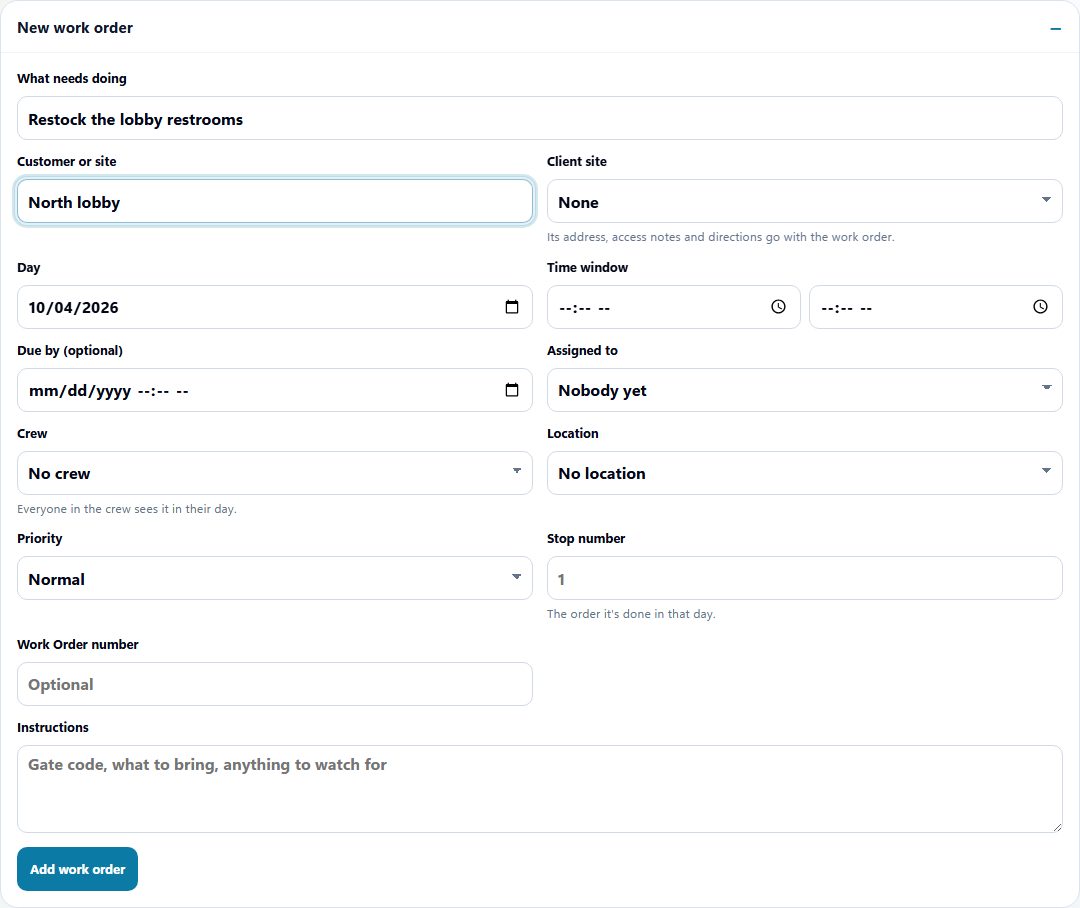
A work order from a sample cleaning company: the job and the site.
The customer signs on the screen, or you record a paper signature, and it stays on the job.
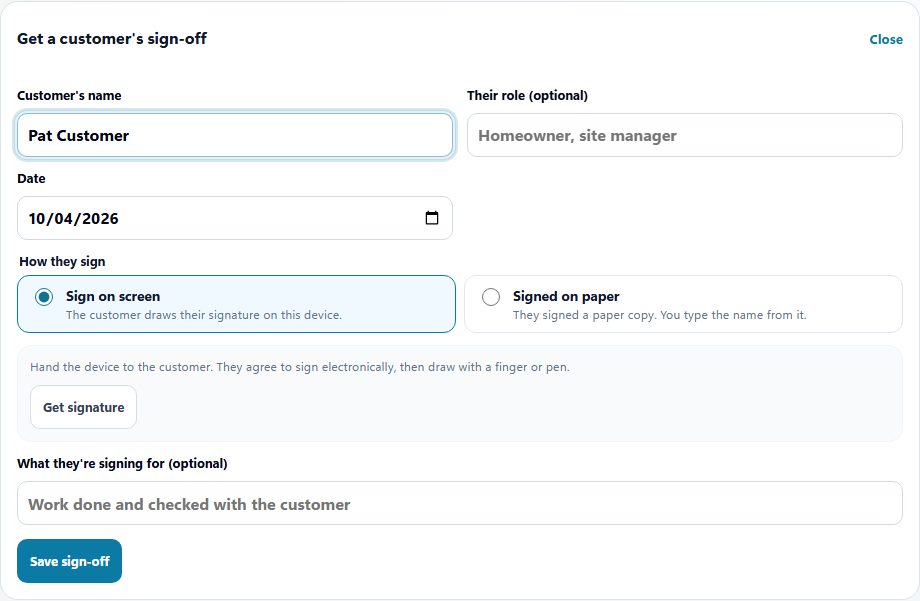
The client signs off on this screen when the job is done.
Piece rate is how many, and the rate for each. It leaves with the hours export. There is no tip pool.
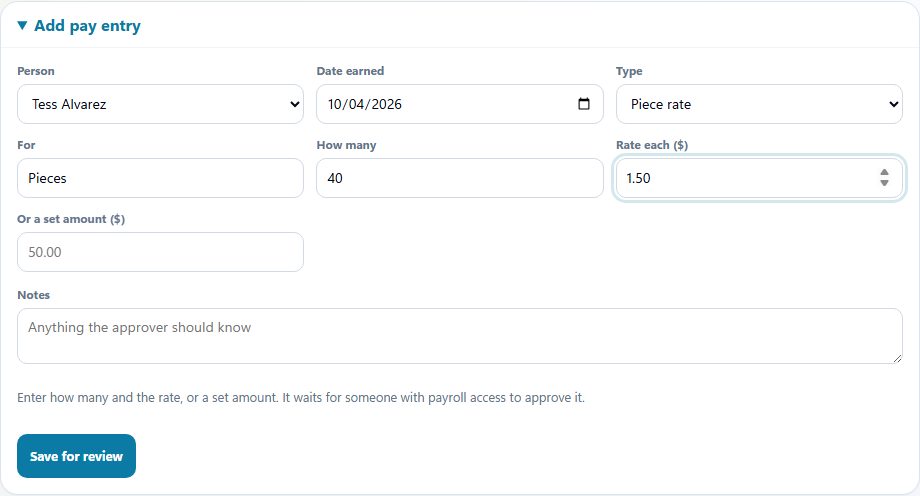
Piece rate is recorded here: how many, and the rate for each. It leaves with the hours export. This setup has no tip pool.
Turned on for this industry
AppySchedule and AppyTime are in every plan, from $30 a month. These are the extra tools this industry starts with, the AppyShift module each one is part of, and the plan it needs. You can change them in setup.
Pro plan
The job, the site, and who is assigned.
AppySchedulePro plan
The client signs when the job is done.
AppyTimePro plan
Photos can be attached to the job.
AppySchedulePro plan
Variable pay exported with hours. No tips.
AppyTimeCertification checks use the cards you record, and can keep someone off a shift when a required card is missing or expired. AppyShift does not confirm a license with the state. Approved hours leave in a payroll export (ADP, Gusto, UKG, Paychex, Paycom, Paylocity, or a CSV). Or run payroll right in AppyShift with AppyPayroll.
What this setup does, and what it leaves with you.
Yes. AppyShift supports recurring shifts and copy-week actions to help prepare repeated staffing patterns.
The time clock supports work-location configuration and optional location or network controls when those settings are enabled and configured.
Explore schedule, time-clock, and payroll preparation workflows for hourly crews.
Employee scheduling built for shift-based teams: build and publish schedules, manage availability, and keep everyone informed about when they work.
Learn more →Time and attendance that tracks every hour and gives managers what they need to manage hourly labor.
Learn more →Enter each shift and unpaid break to calculate regular hours, overtime hours, decimal totals, and an optional gross-pay estimate. Everything stays in your browser.
Learn more →Choose a payroll frequency and pay-date pattern, then account for weekends, Federal Reserve holidays, and your own bank closures. Export the finished schedule as CSV, calendar events, or a printable PDF. Everything stays in your browser.
Learn more →The AppyShift modules
A different kind of team
Month-to-month self-serve plans. 14 days free with every Pro feature. No credit card.
Start free trial