One setup checklist
Payroll setup lists every step in order and says whether it stops a payroll, is needed before approval, or is optional, with a button to the place you fix it.
AppyPayroll · Early access
AppyPayroll pays your team from the hours they clocked and you approved in AppyShift, shows every pay statement before you approve, and puts pay stubs, W-4s and W-2s in the app your team already uses. AppyShift files and pays your federal and state payroll taxes as your authorized agent, included in the price. Wages and taxes come from your own bank account.
$40 a month, plus $4 for each person you pay that month. Filing and paying your payroll taxes is included.
An add-on that works with every AppyShift plan. Now onboarding a select group of businesses. Apply in a minute, and we'll take it from there.
How it works
Your team clocks in with AppyTime and managers approve the hours. Overtime, differentials, tips and time off are worked out from your rules.
When the pay period closes, AppyPayroll can start the payroll, bring in approved hours and salaries and calculate it, then tell you it's ready. Or start it yourself.
Fix what's flagged first, then check every pay statement against the last payroll.
Approve with your password before the time on the page, with a second approver if you like. The pay statements are sealed, and the payroll's tax deposits are approved with it.
Download the direct deposit files and upload them at your bank, print checks, or have AppyShift mail them.
Employees see their pay stub in the app. AppyShift submits the tax deposits from your account, and files the returns each quarter once you approve them.
At a glance
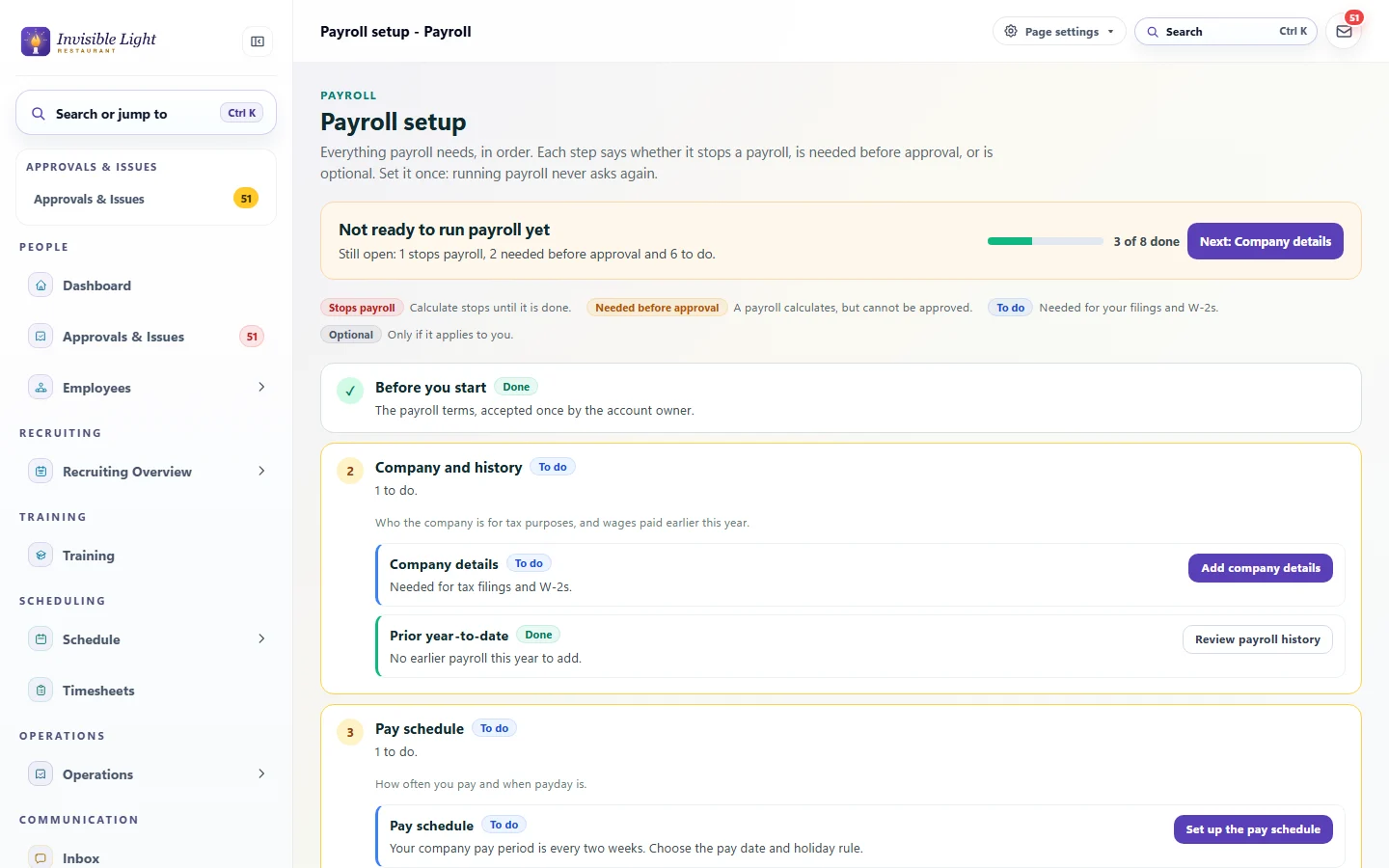
Payroll setup lists every step in order and says whether it stops a payroll, is needed before approval, or is optional, with a button to the place you fix it.
Every week, every two weeks, twice a month or monthly, with your payday and a rule for weekends and holidays. Add more schedules for groups that are paid differently.
Add the common earnings (regular, overtime, salary, time off, bonus, tips, reimbursements) and deductions (401(k), Roth, medical, dental, vision, HSA, garnishments), then add your own.
Your Form 941 or 944, federal deposit schedule, FUTA, and each state's account numbers, deposit schedule and unemployment rate. A new rate starts on a date and the old ones stay in the history.
Bring in what your old provider paid each person this year, by quarter, from a spreadsheet or by hand. You see a checked preview before anything saves, and it counts toward wage limits and W-2s.
Approved hours come in with daily and weekly overtime, double time and shift differentials worked out. Approving the payroll locks that period's timesheets.
Pay rule sets give a location, department, state or person their own overtime and differential rules, merged over yours at pay time.
Salaries come in every period. Approved time off is its own line, and bonuses, mileage, reimbursements, stipends and retro pay are added from where you approved them.
Tip-pool shares are paid in the paycheck, or taxed only when you hand them out in cash. Cash tips employees declare are taxed, and the tip-credit top-up is worked out after tips.
Income tax from each person's W-4, Social Security up to the year's wage base, Medicare and Additional Medicare, and your FUTA, with year-to-date totals carried forward.
State income tax from each state's own rules, your state unemployment tax at your rate, state disability and paid leave programs, and local income taxes where they apply.
Earnings such as bonuses and commissions are withheld as supplemental wages: the flat 22% or added to regular wages, as you choose, and 37% above $1 million.
401(k), 403(b), Section 125 and HSA deductions come out of only the taxes each one is exempt from. Where a state's treatment isn't confirmed yet, payroll stops and names the state instead of guessing.
Support orders, tax levies, creditor garnishments and student loans, in priority order and within the federal limits. Each payroll lists what each agency is owed, paid by a vendor check.
Pay contractors on the same payroll with no payroll taxes taken out, and backup withholding when there's no W-9 on file.
Turn it on and, when a period closes, the payroll is started, filled with approved hours and calculated. Reviewers get one notice with what to fix first. A person still approves.
Before calculating, one list shows unapproved time, missing punches, time-off conflicts, overtime to check and setup gaps, each with a link to fix it.
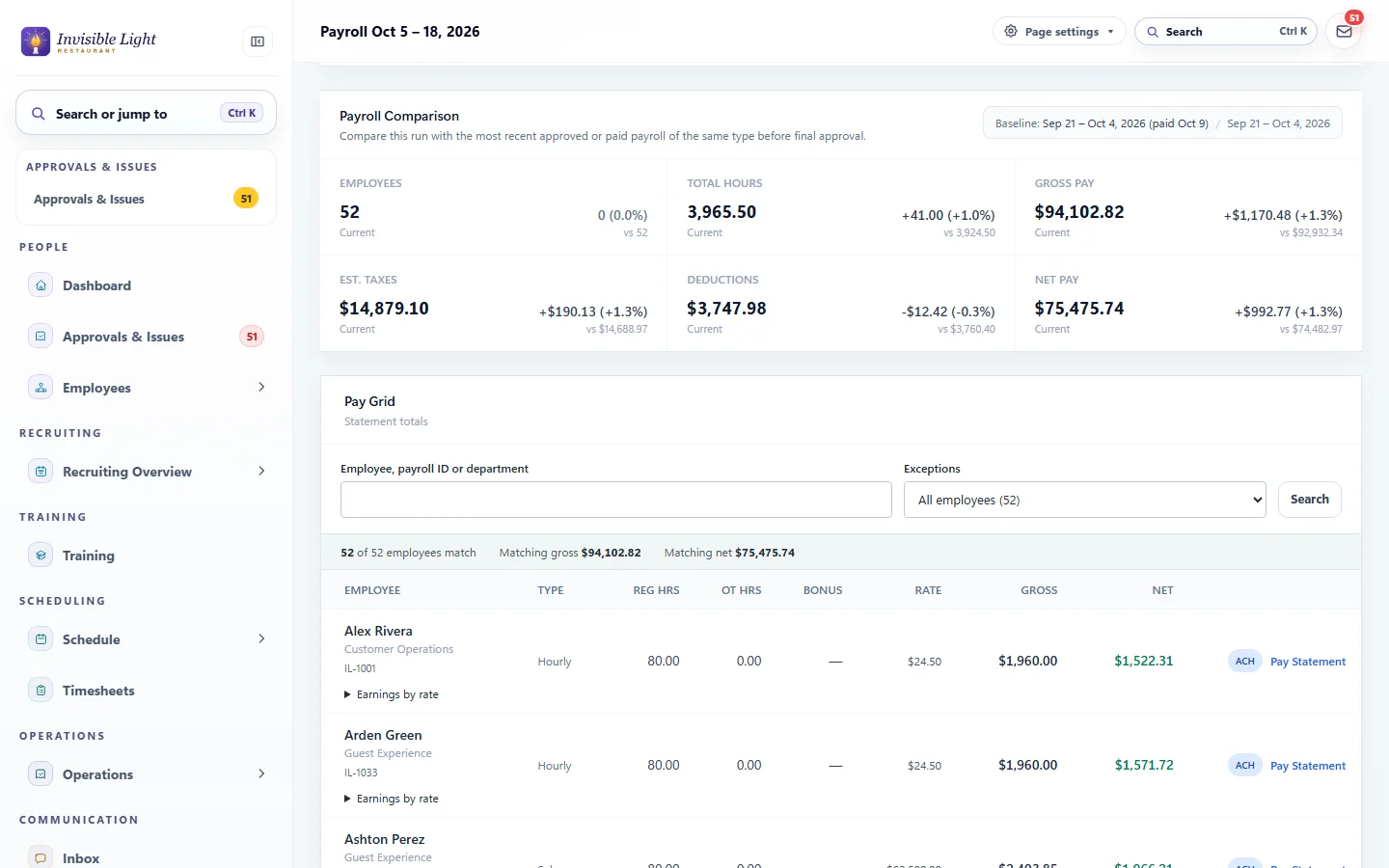
See who is new, who left and who changed, with hours, gross, taxes and net pay next to the last payroll, and the big changes flagged.
Add or change an earning or deduction on one statement, or override a tax amount with a reason. Every change is recorded, and you calculate again before approving.
Approving asks for your password again. Add a second approver if you want two people on every payroll.
Each payroll shows the time to approve it by so people are paid on payday, with reminders a day before and four hours before.
Run a bonus, off-cycle or correction payroll whenever you need one. Void one person's statement on a paid payroll in the current quarter, or void a payroll that's approved but not yet paid.
Download the standard bank (NACHA) files and upload them at your bank: one to fund the payroll, then one with the employee deposits, which unlock once you record that the funding cleared.
Employees can split pay across accounts by amount or percentage. Send a $0 prenote file to test new accounts first.
Record a deposit your bank returns. That person is paid by check, and their account stays off later files until a new one is saved.
Print paychecks on check stock you buy, with a MICR printer, your logo and your signature. A test check and an alignment sheet help you line them up.
Or AppyShift prints your paychecks, drawn on your own bank account, and ships them by FedEx 2Day, or overnight to an address that needs it, for $3 a check plus shipping.
Write a check by hand and record its number and date on the payroll.
Void, reissue or mark checks cleared, and download a positive pay file for your bank.
AppyShift makes your Form 941 and 940 tax deposits through EFTPS, from your own bank account. Approving a payroll approves its deposits, and you can stop one until it's submitted.
AppyShift files your Form 941 every quarter and Form 940 every year, after you approve each quarter's returns on Tax filings.
AppyShift files Copy A of your W-2s with the Social Security Administration, with the W-3 totals.
State income tax withholding, unemployment and state program deposits and returns, as your authorized agent in the states where AppyShift is registered. Your Taxes pages show exactly which.
Sign IRS Form 8655, filled in for you. The IRS usually accepts it in about 30 days; AppyShift then enrolls your EIN in EFTPS, and you choose the bank account the taxes come from.
Filing and paying your payroll taxes costs nothing extra. AppyShift staff submit each one on the agency's own site and record the confirmation.
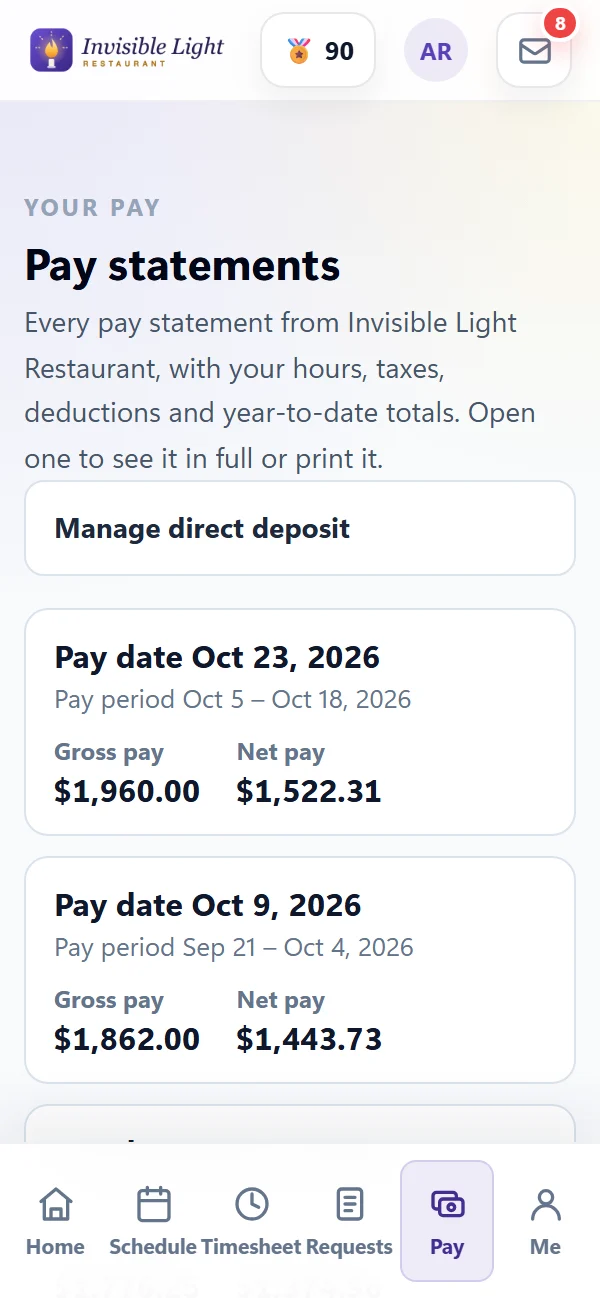
Every pay statement with hours, earnings, taxes, deductions and year-to-date totals, ready to print. You choose when they appear: at approval, on payday, or up to three days before.
Employees fill in and sign their federal W-4 and state withholding forms in the app. Managers can enter a paper form too, and you choose whether changes need approval.
Employees add or change bank accounts in the app after entering their password, and get an alert when anything changes. You choose whether a manager approves the change.
While payroll is being prepared, employees can see an estimate of their next paycheck. Turn it off if you prefer.
Turn them on and employees hear when their pay stub is ready: in the app, by email, or by text if they agreed to texts.
Employees who agree get their W-2 in the app as a PDF, and you can ask the rest to go paperless.
Print the employee copies yourself at no charge, or AppyShift prints them and mails them by USPS First-Class Mail for $4 each. Choose by December 1, with reminders in November.
AppyShift files Copy A with the Social Security Administration. Or download the file yourself and upload it in your Business Services Online account.
When your last payroll of the year is done, AppyShift locks the year's W-2s, and the final copies appear for you and your employees.
Each contractor's 1099-NEC amounts, with missing details flagged, ready for you to file in the IRS's IRIS system.
Seven to check a payroll before you approve it (preview register, cash requirements, compare with last payroll and more) and 22 after, such as the payroll register, tax summary, labor distribution and 401(k) census. Download them as CSV or Excel.
Each federal and state deposit with its amount, due date from your deposit schedule, who submits it and when it was paid.
Each quarter's totals with the Form 941 worksheet and the return on the IRS form for you to approve, plus the Form 940, state withholding and unemployment wage worksheets.
Local taxes and any state AppyShift doesn't handle for you yet have a sheet that says what to enter on the agency's site, a reminder before the due date, and a place for the confirmation and proof.
Who is due to be reported, by each state's deadline, what's missing, and a file with what states ask for.
A balanced journal for every payroll, mapped to your own accounts, to download for your accounting software.
Pay statements are sealed when you approve, and employees see exactly those amounts. Every step of every payroll is in its audit log.
Approving a payroll, changing bank details and downloading Social Security numbers ask for the password again.
Social Security numbers and bank account numbers are encrypted, and screens show only the last four digits.
The audit log records approvals, changes and downloads, and when employees view or print a pay statement, without the amounts.
Ask employees to sign in with a second step from an authenticator app, as an option or for everyone.
Wages and taxes go from your own bank account. AppyShift never holds your money.
See it in the app
Every screen here is a real AppyShift page from our demo company, Invisible Light Restaurant. Open the demo to try it yourself.
Payroll setup puts everything payroll needs in order: the company, pay schedule, pay codes, taxes, bank and employees. Each step says whether it stops a payroll, is needed before approval, or is optional, and opens the place to fix it.
Every payroll is compared with the last one. Bigger changes in hours, gross pay, taxes or net pay are flagged, and the pay grid shows each person's hours, overtime, rate, gross and net pay, with their statement one click away.
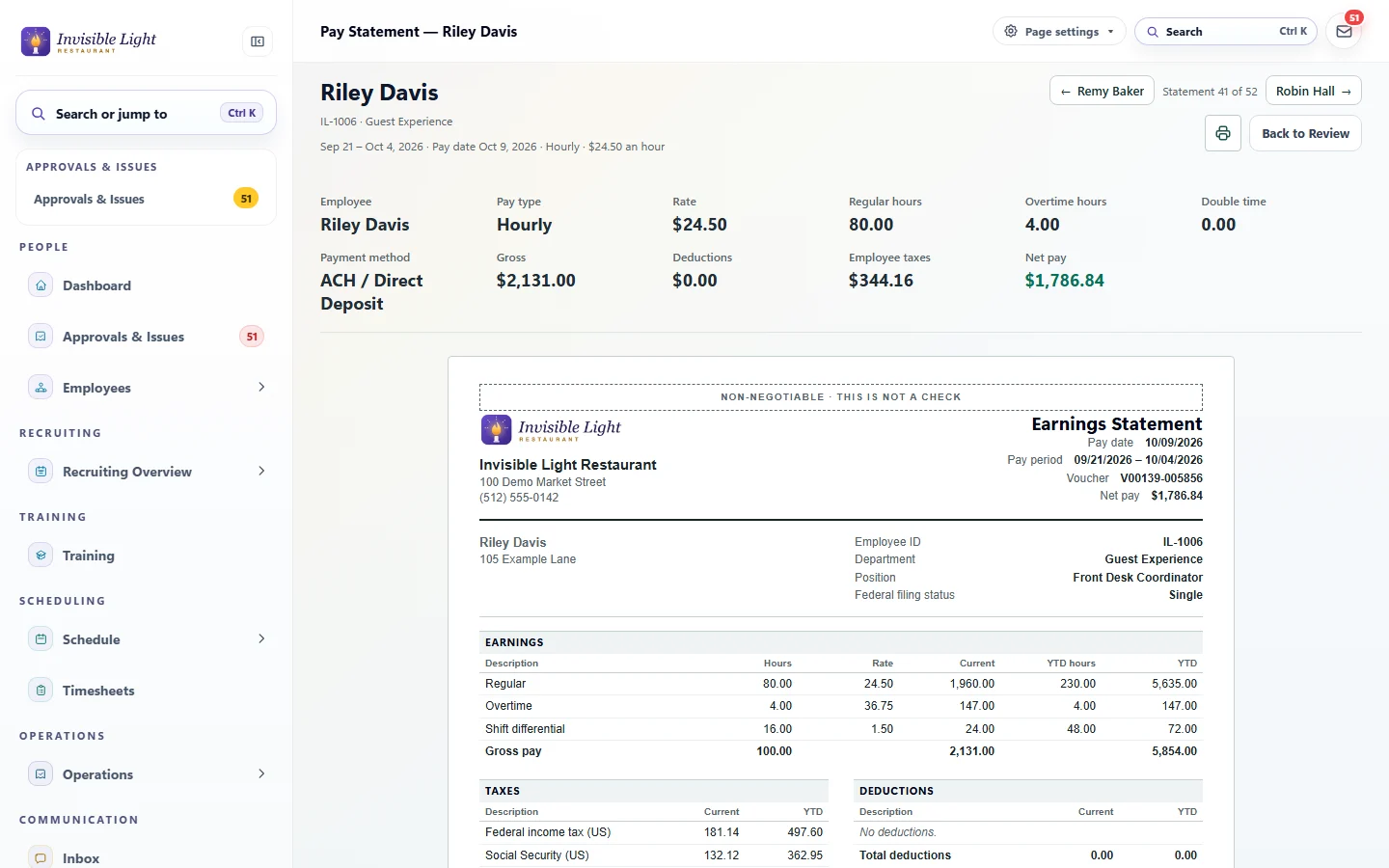
Open any statement to see the rate, hours, gross, taxes, deductions and net pay above the earnings statement your employee will see, then move to the next person. Fix a line with a reason, then calculate again.
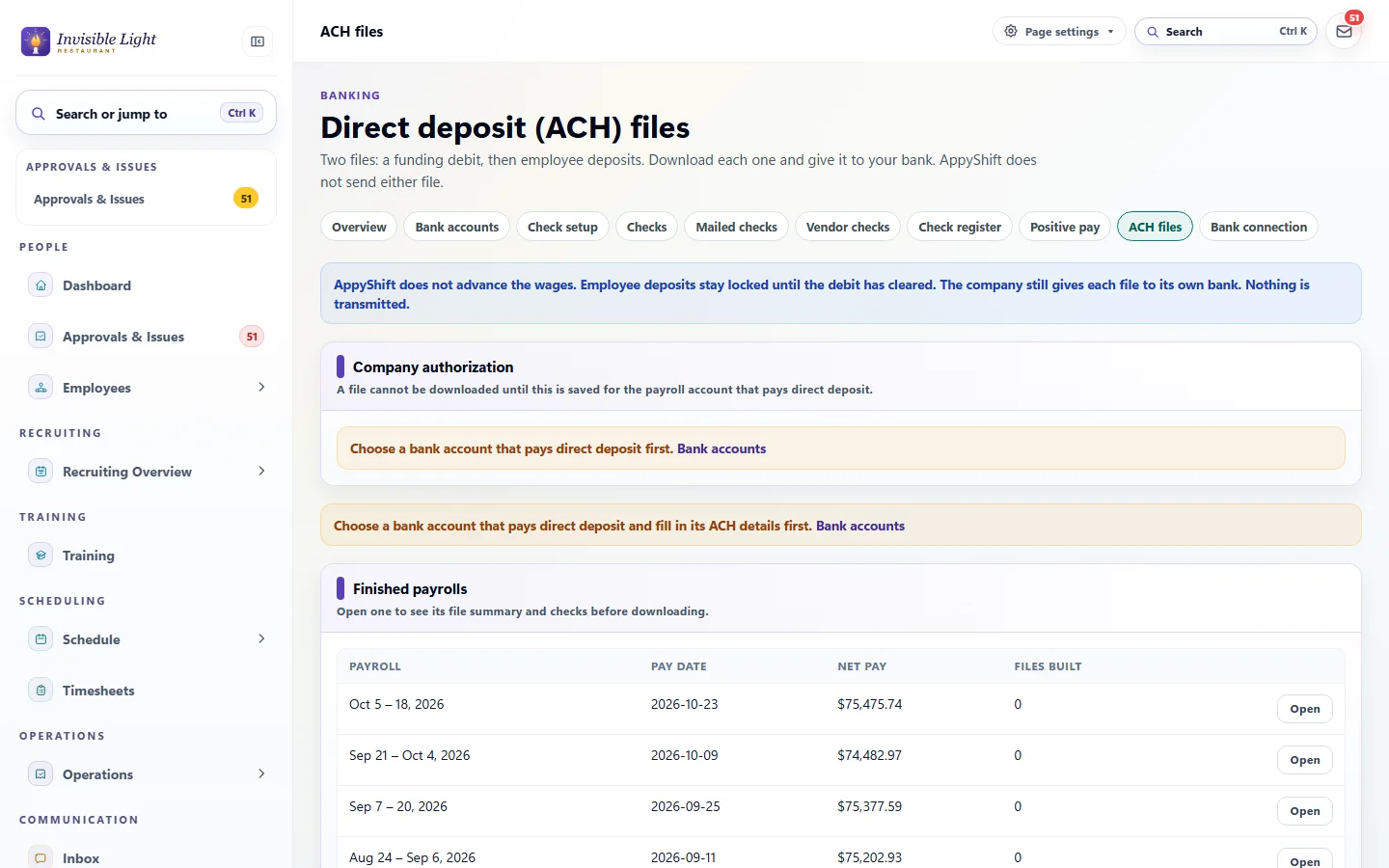
After you approve, download the funding file and the employee deposit file and upload them at your bank. The employee deposit file stays locked until you record that the funding cleared at your bank.
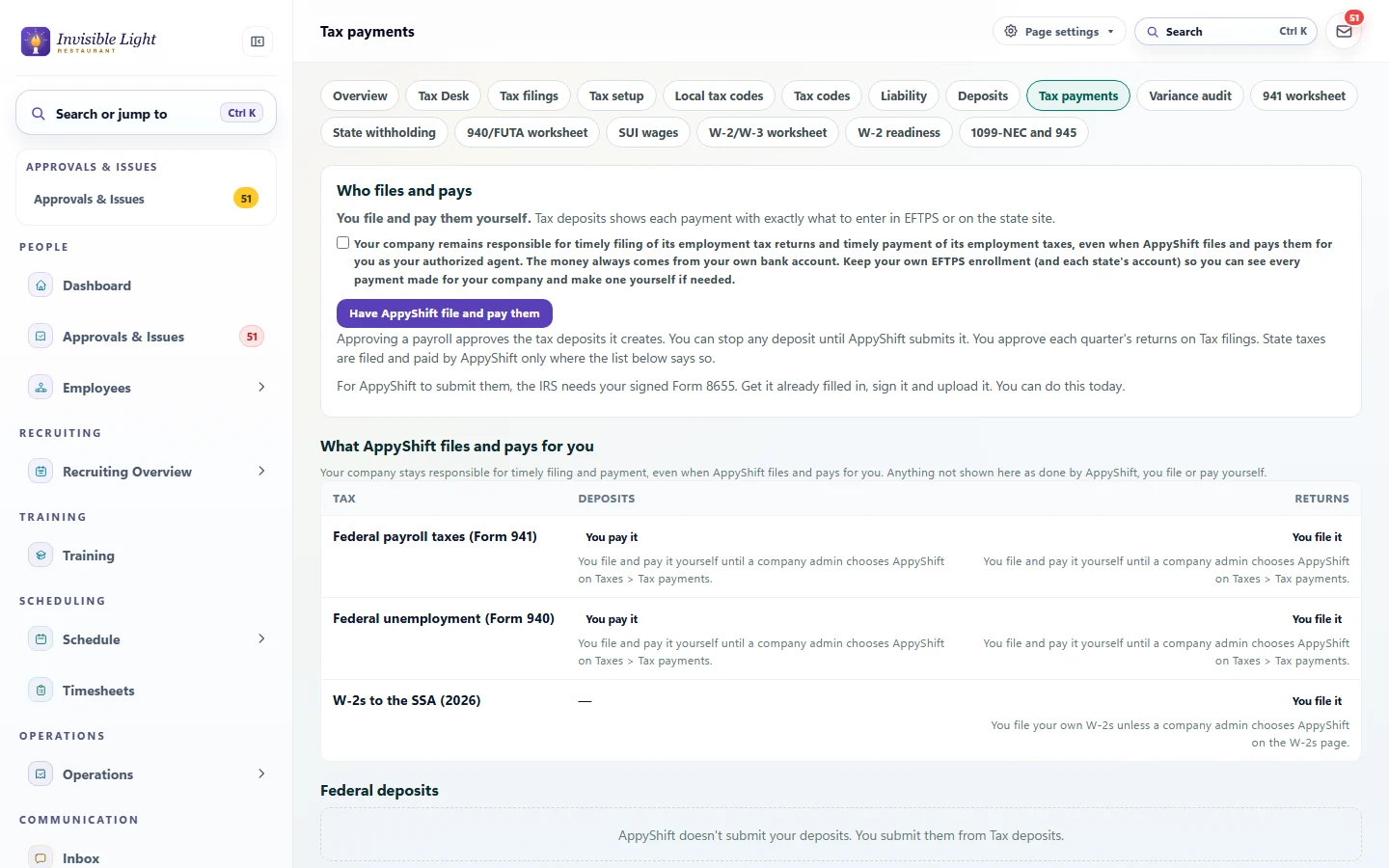
Choose to have AppyShift file and pay them, and Tax payments shows every tax: who makes each deposit and files each return, what's still waiting and why. Approving a payroll approves its deposits, and AppyShift staff submit them from your own bank account.
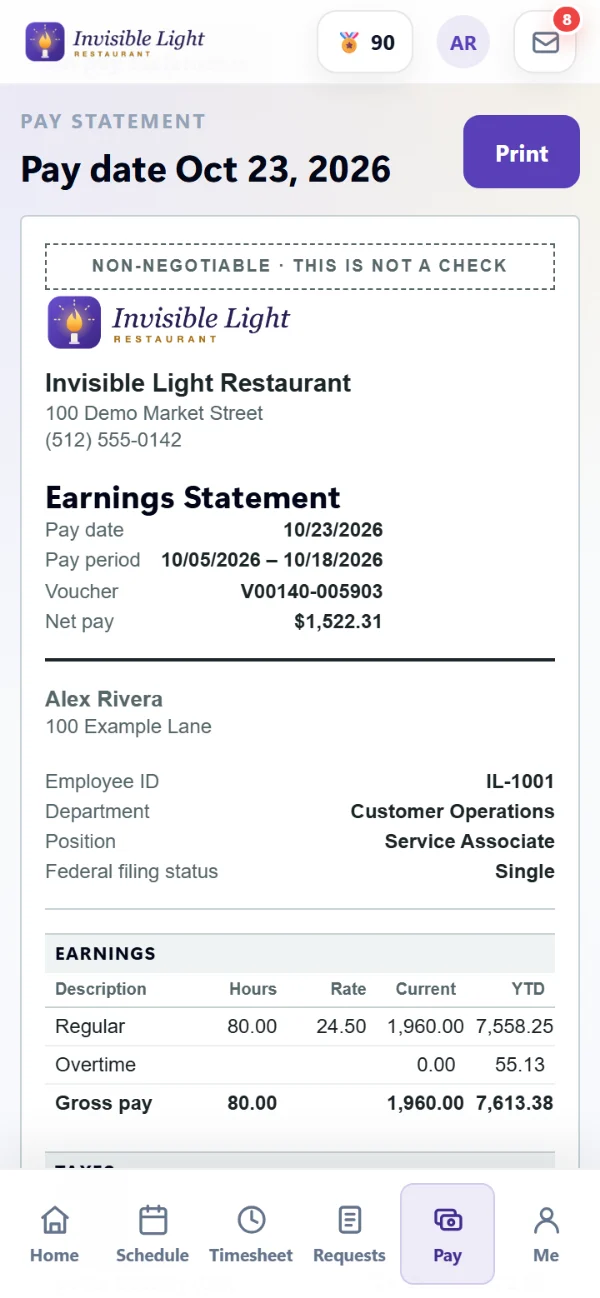
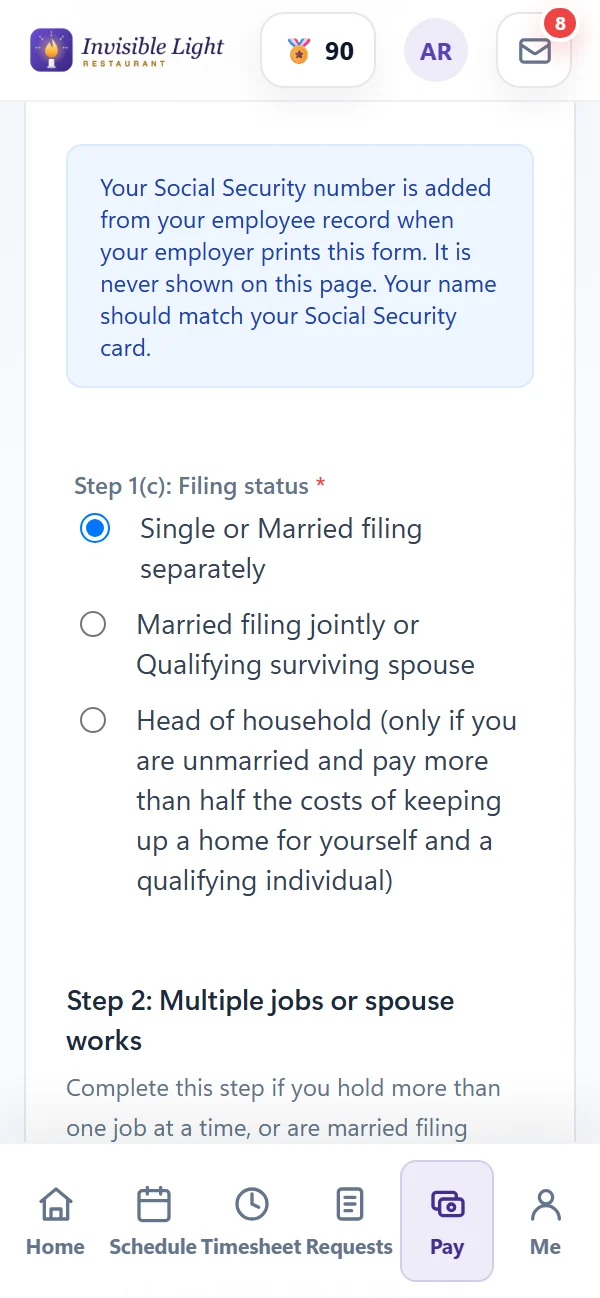
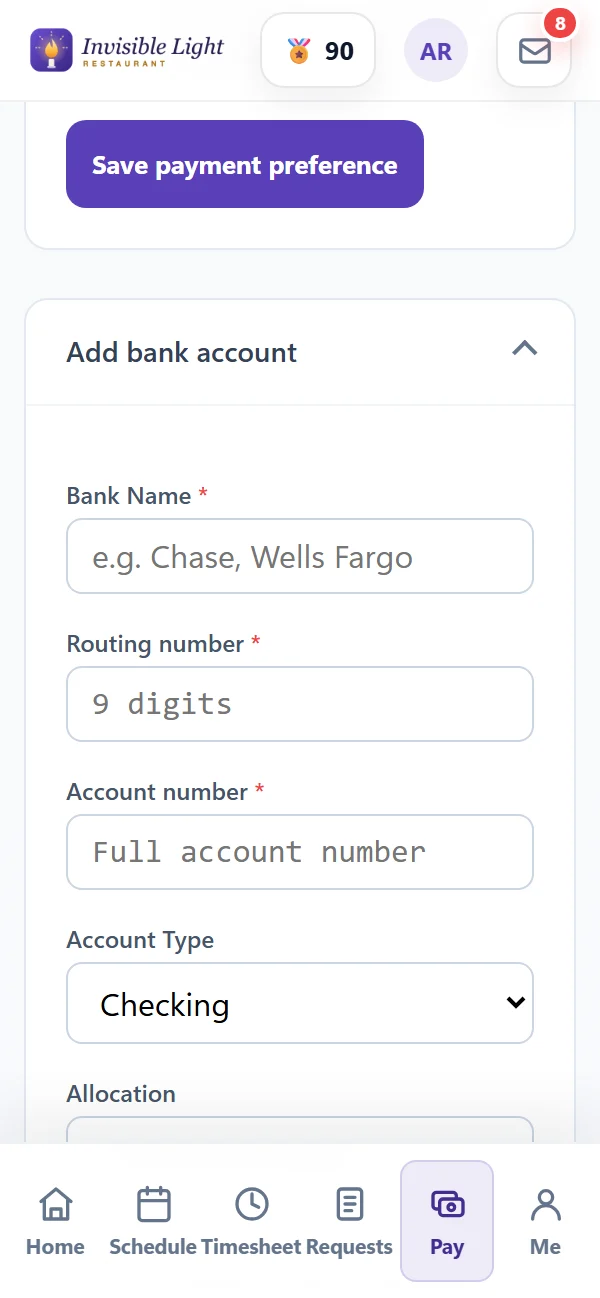
Employees open Pay to see every pay statement and print one if they need it. They fill in and sign their W-4 and state forms, and add their own bank accounts after entering their password. No calls to the office.
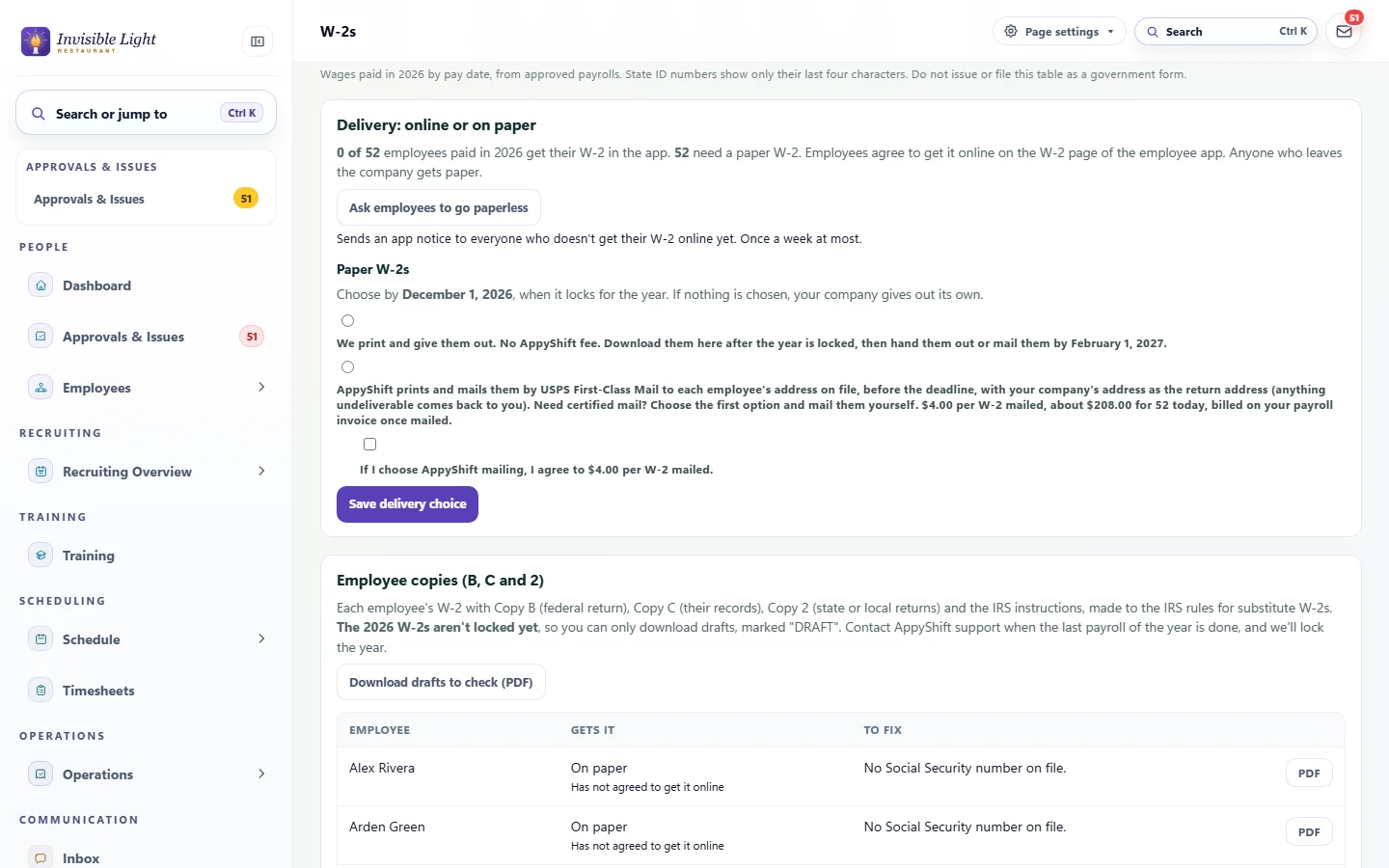
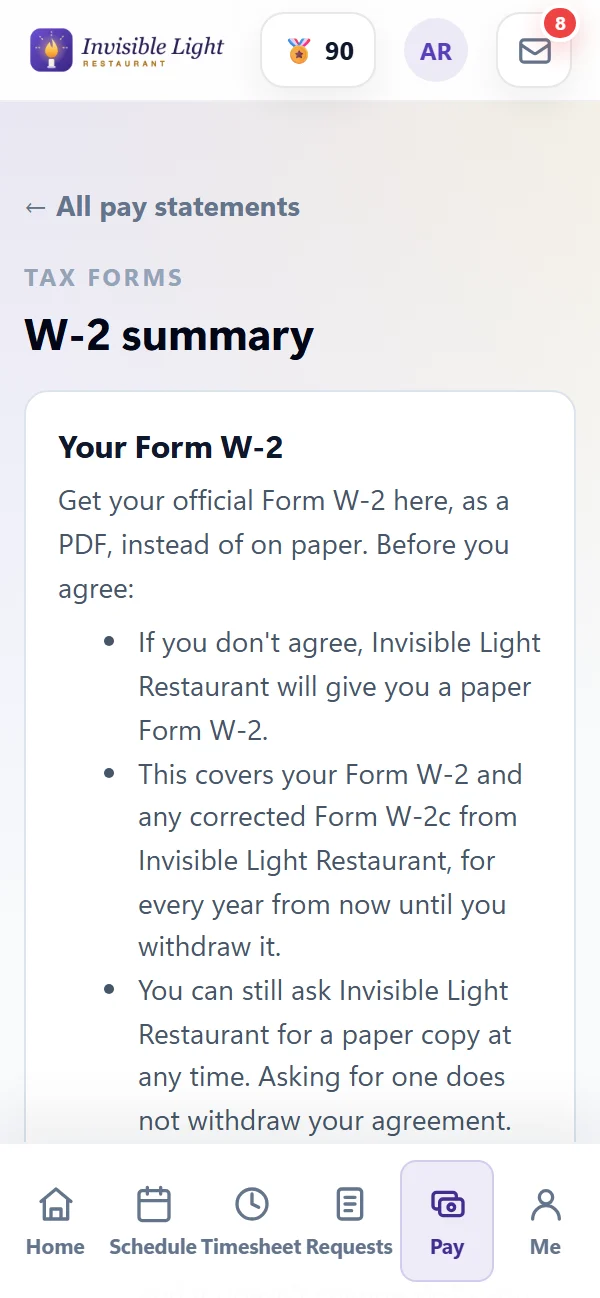
Employees who agree get their W-2 in the app. For everyone else, print the paper copies yourself, or have AppyShift print and mail them for $4 each. AppyShift files Copy A with the Social Security Administration.
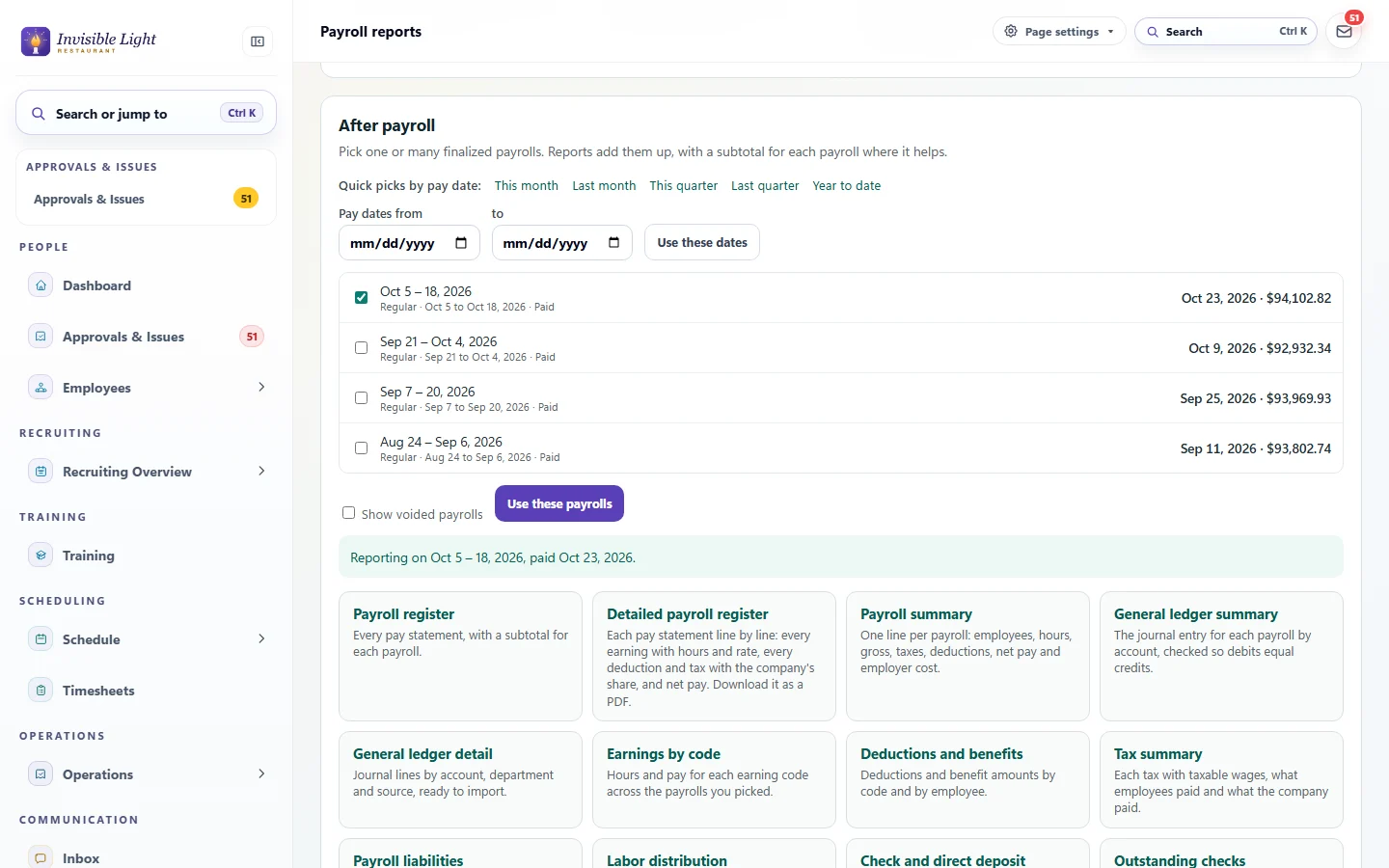
Check a payroll before you approve it with the preview register, cash requirements, exceptions and a comparison with the last payroll. After payday, report on one payroll or many, and download any report as CSV or Excel.
Good to know
AppyShift files and pays your payroll taxes as your authorized agent, with your approval, from your own bank account. A few things stay with you.
You remain responsible for filing and paying your payroll taxes on time, even with an agent, as the IRS reminds every employer. The money always comes from your own bank account; AppyShift never holds it.
Pricing
One price for your business plus one for each person you pay that month, on top of your AppyShift plan. Filing and paying your payroll taxes is included.
$40 a month for your business, plus $4 for each person you pay that month, however many payrolls you run. A correction payroll doesn't add anyone. For 12 people paid every two weeks, that's $88 a month, with two paydays or three. Filing and paying your payroll taxes is included. Checks AppyShift prints and mails are $3 a check plus shipping, and paper W-2s AppyShift mails are $4 each.
The $40 is paid at the start of each month, and before your first payroll can be approved. The people you paid, mailed checks and mailed W-2s are charged after the month ends. Everything goes on your saved card, and an unpaid payroll charge holds new approvals until it's paid.
AppyPayroll is set up with each business by request. Tell us where your team lives and works when you ask, and we'll confirm everything with you before your first payroll.
Yes, as your authorized agent, included in the price. AppyShift makes your federal deposits through EFTPS, files Form 941 every quarter and Form 940 every year, and files your W-2s with the SSA. In the states where AppyShift is registered, it also handles withholding, unemployment and state program deposits and returns; your Taxes pages show which. You sign IRS Form 8655 once (the IRS usually accepts it in about 30 days), approving a payroll approves its deposits, and you approve each quarter's returns. The money comes from your own bank account, and you remain responsible for filing and paying on time. Local taxes stay with you.
By direct deposit, split across their accounts if they like, or by check. You download the direct deposit files and upload them at your bank. Print checks on site, write them by hand, or have AppyShift print and mail them. Wages come from your own business bank account; AppyShift never holds your money.
Approved hours come straight in, with overtime and differentials worked out from your pay rules, plus salaries, approved time off, tips and extra pay. Unapproved time and missing punches are listed first so you can fix them, and approving the payroll locks that period's timesheets.
Yes. Add what your old provider paid each person this year, by quarter, from a spreadsheet or by hand. AppyPayroll counts it toward wage limits such as Social Security's and on W-2s, and the Form 941 worksheet for the quarter you switch shows your old provider's part separately.
Employees who agree get their W-2 in the app. For the rest, print the paper copies yourself, or have AppyShift print and mail them for $4 each; choose by December 1. AppyShift files Copy A with the Social Security Administration. State W-2 filing, where a state asks for it, stays with you.
No. Pay stubs, W-2s, their W-4 and their direct deposit are in the same AppyShift app they already use for their schedule and the time clock.
Already on AppyShift? A Company Admin applies from Settings > Payroll Features & Workweek and names the states your team works and lives in. New to AppyShift? Apply here and tell us about your team. We're onboarding a select group of businesses and review each application ourselves. AppyPayroll is an add-on for any plan, and AppyTime's exports to another payroll provider stay available either way.
Time and attendance that tracks every hour and gives managers what they need to manage hourly labor.
See AppyTime →Digital onboarding that collects new-hire information and documents and gets people ready for work, without paper.
See AppyOnboard →Estimate gross wages, employee payroll taxes, deductions, and net pay using AppyShift's payroll tax rate feed. Address and election details are used for the current request and are not saved.
Open the resource →Choose a payroll frequency and pay-date pattern, then account for weekends, Federal Reserve holidays, and your own bank closures. Export the finished schedule as CSV, calendar events, or a printable PDF. Everything stays in your browser.
Open the resource →The AppyShift modules
Pay your team from the hours you approve, and AppyShift files and pays your payroll taxes from your own bank account. AppyPayroll is onboarding a select group of businesses now. Tell us about your team, and we'll take it from there.
Apply for AppyPayroll