Tips counted twice
The jar is counted on paper, then entered again for payroll.
For coffee shops and cafés
A coffee shop week is the opener's note, the forecast for the morning rush, the food-handler card you record, and cash tips at close. Signing up starts the shop on the restaurant setup.

The week before AppyShift
The jar is counted on paper, then entered again for payroll.
The food-handler card expired and the barista is already on bar.
The owner is in the car before the first customer, because the opener texted the group.
One week in AppyShift
Each screen is a real AppyShift page from a sample company, showing a tool this industry turns on.
The forecast shows projected labor for the week, so the opener is not a guess.
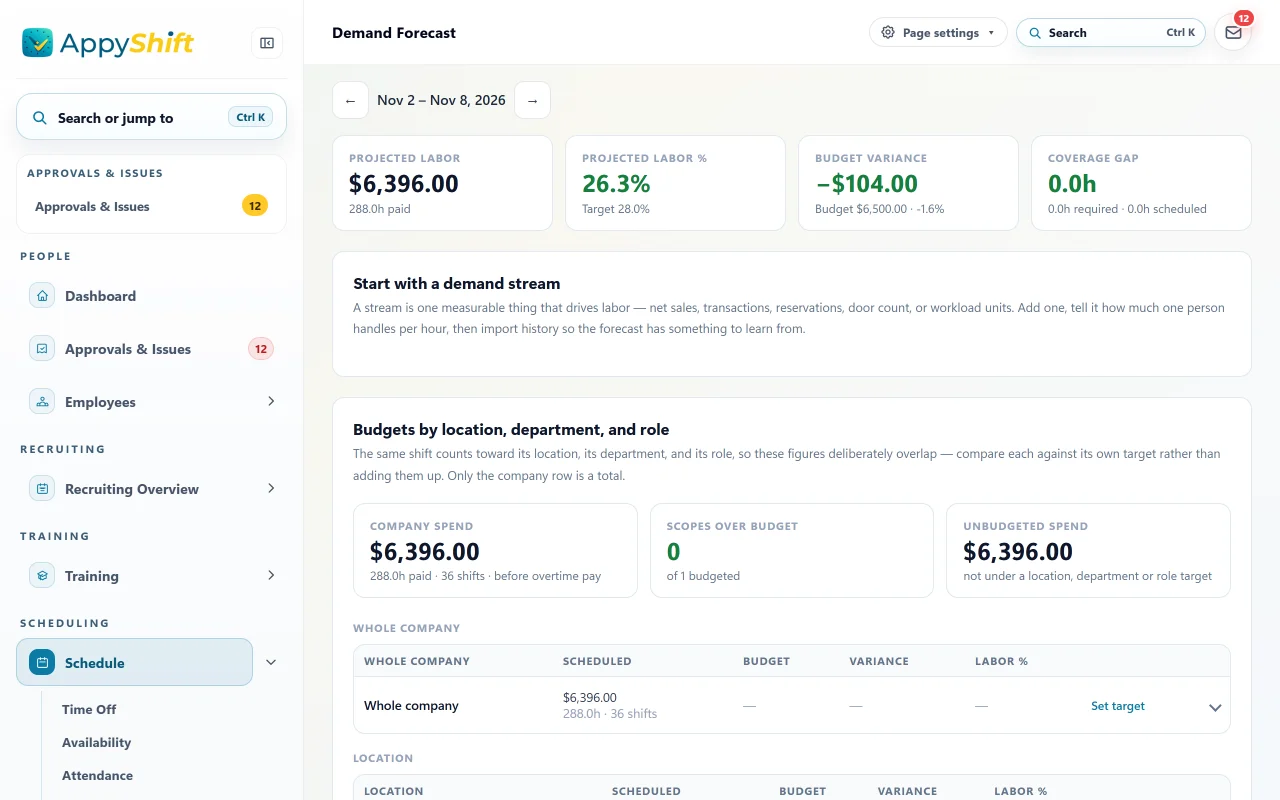
Coffee shops start on the restaurant setup. These tiles are that forecast's projected labor for the week, against the budget and labor target the shop set.
The closer writes what the opener needs. This note says the oat milk is low.
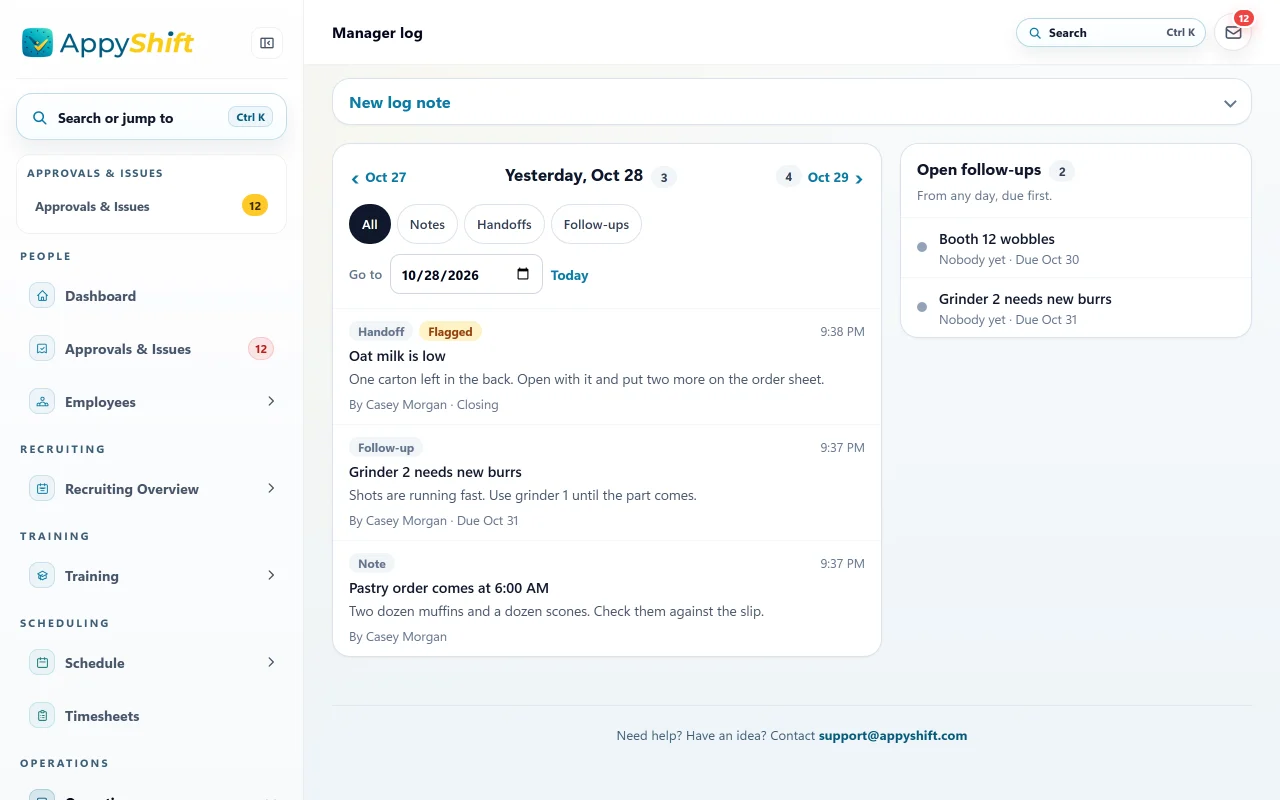
The log a coffee shop uses. The closer's flagged handoff tells the opener the oat milk is low.
Require the card you record. Someone with a missing or expired card is not offered that shift.
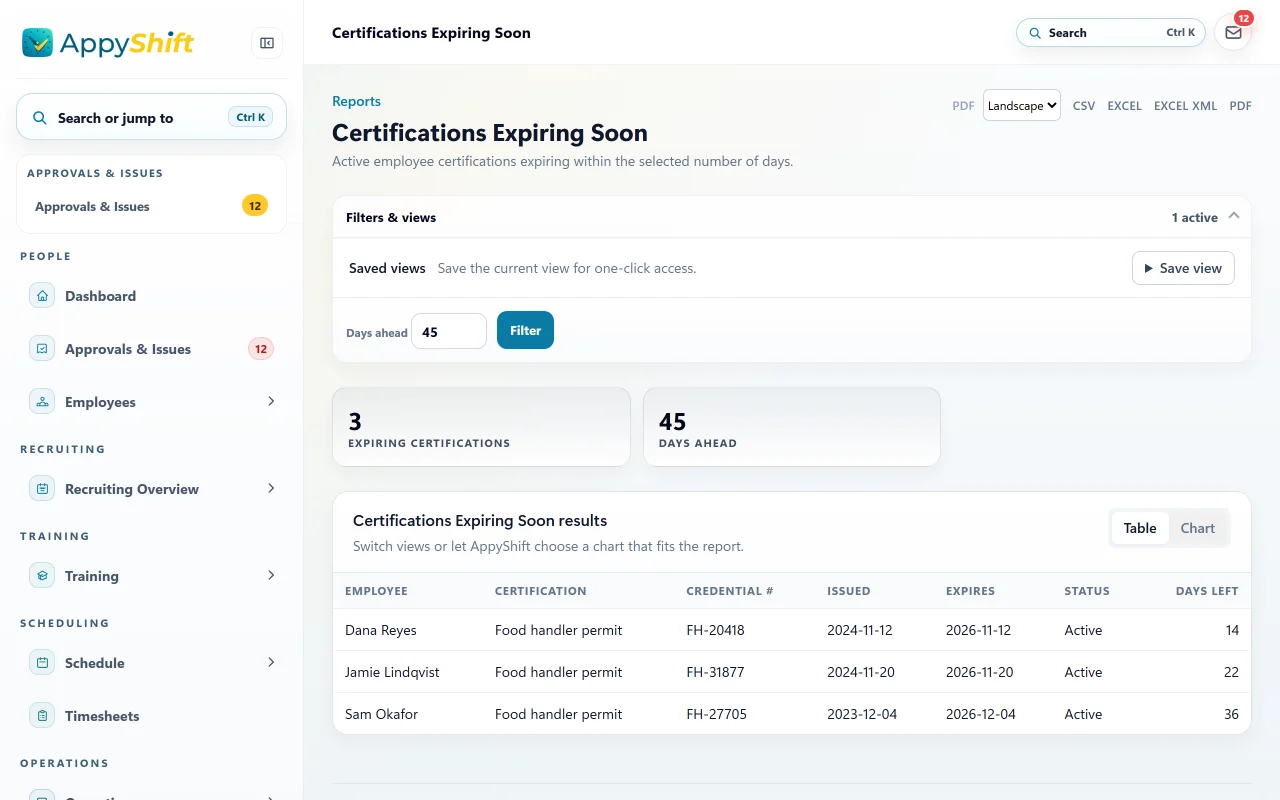
Coffee shops use the restaurant setup. These are the food-handler cards that company records, and the ones that expire soon. AppyShift does not confirm them with the state.
Tips are entered with the person and the shift, then leave with the hours export.
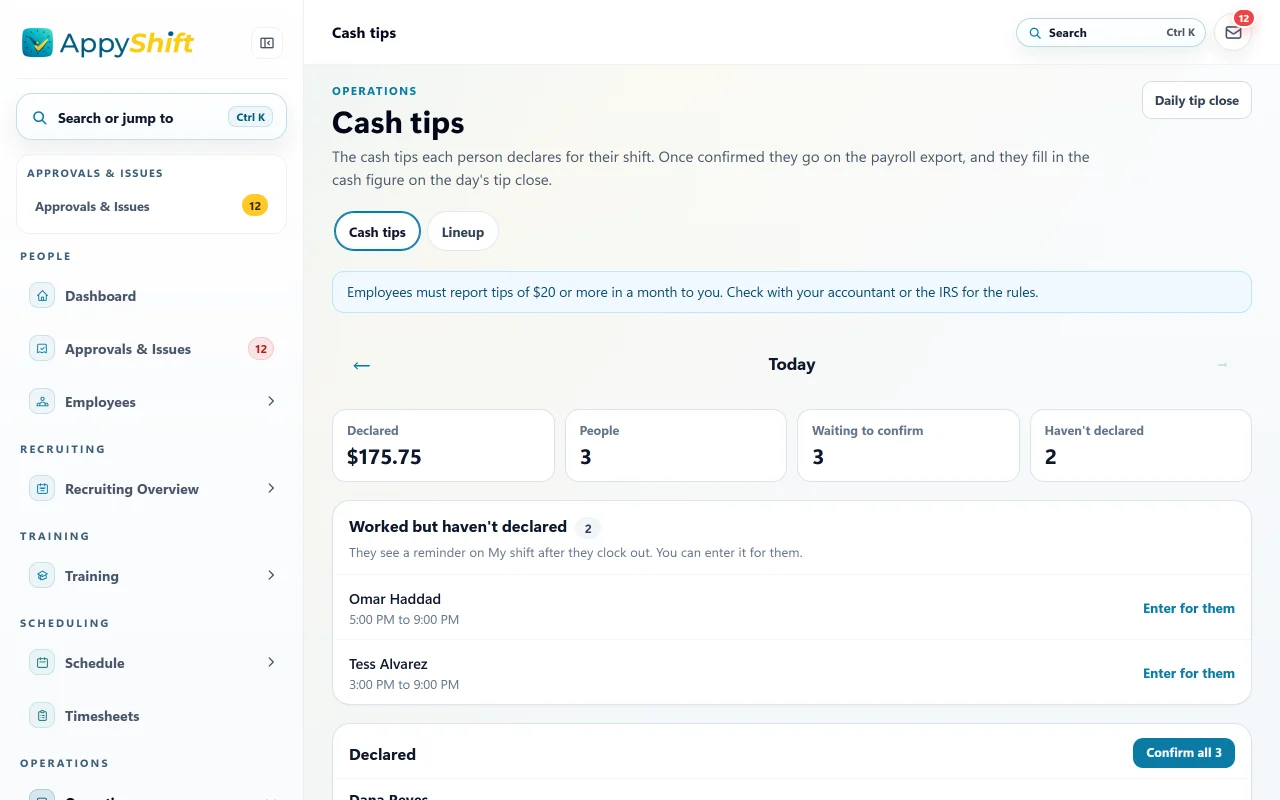
At close, the manager sees the tips each person declared and who still has to. They leave with the hours export.
Turned on for this industry
AppySchedule and AppyTime are in every plan, from $30 a month. These are the extra tools this industry starts with, the AppyShift module each one is part of, and the plan it needs. You can change them in setup.
Every plan
The same tip tools a restaurant turns on.
AppyTimePro plan
The card you record, checked before a shift is offered.
AppyScheduleEvery plan
Projected labor for the morning rush.
AppySchedulePro plan
What the closer leaves for tomorrow's opener.
AppyConnectSigning up from this page starts the company on the restaurant setup, which is the profile coffee shops use. Certification checks use the cards you record, and can keep someone off a shift when a required card is missing or expired. AppyShift does not confirm a license with the state. Approved hours leave in a payroll export (ADP, Gusto, UKG, Paychex, Paycom, Paylocity, or a CSV). Or run payroll right in AppyShift with AppyPayroll.
What this setup does, and what it leaves with you.
Employees can submit dated availability requests and preferences. Managers may require review or enable automatic approval.
No. It can reopen the shift and apply the pickup rules you configure; your approval setting controls the final pickup process.
Use availability and call-out workflows to keep part-time staffing decisions clearer.
Employee scheduling built for shift-based teams: build and publish schedules, manage availability, and keep everyone informed about when they work.
Learn more →Time and attendance that tracks every hour and gives managers what they need to manage hourly labor.
Learn more →Use the weekly form to record an effective date range, available hours, and shift preferences, then share or export a copy for your manager.
Learn more →Choose policy sections, tailor the starter language to your procedures, and assemble a printable handbook draft. Nothing is saved or uploaded.
Learn more →The AppyShift modules
A different kind of team
Month-to-month self-serve plans. 14 days free with every Pro feature. No credit card.
Start free trial