A week you can drag
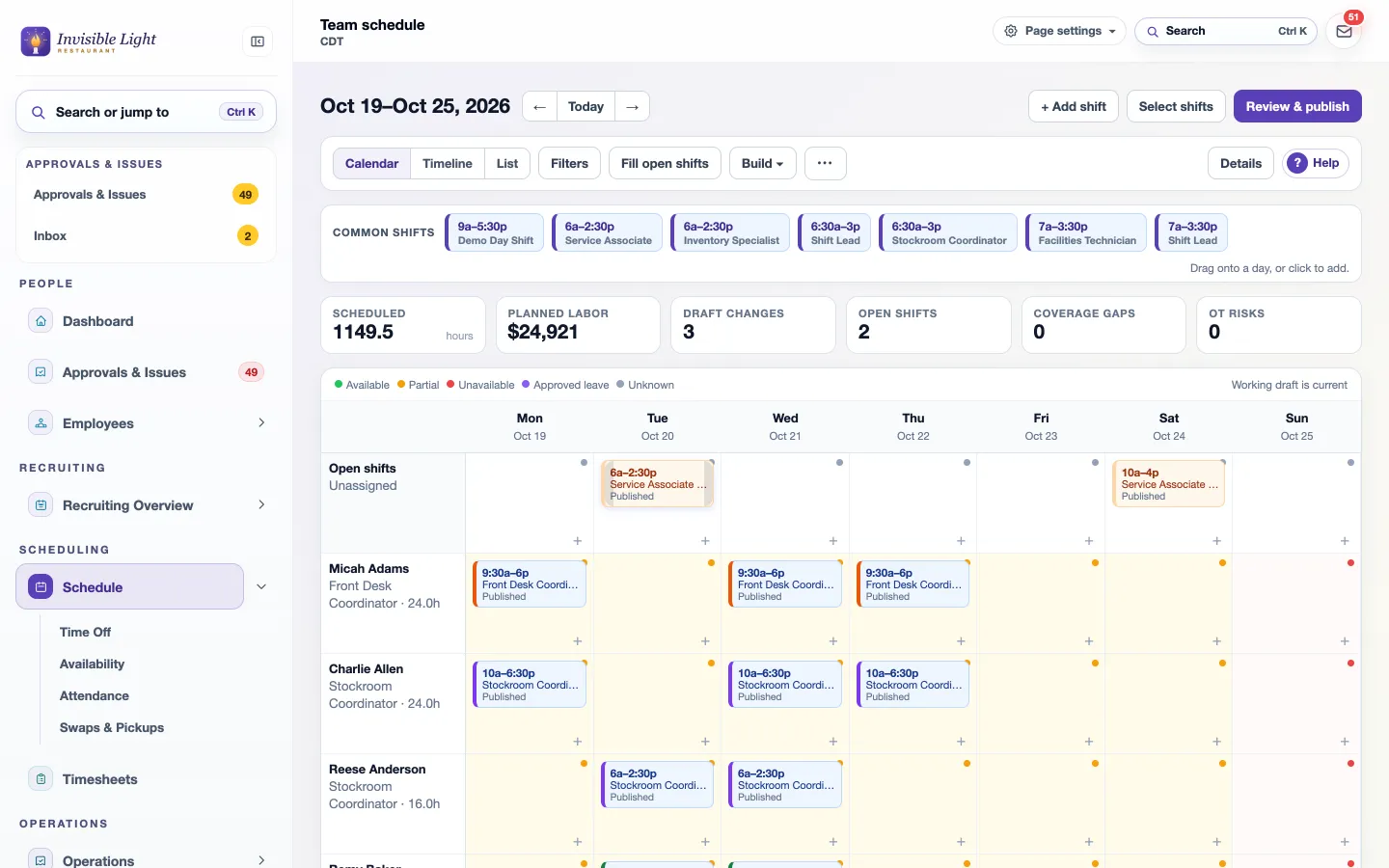
Drag a shift to move it, Alt-drag to copy it, pull an edge to change the hours. Your common shifts sit above the grid, ready to drop onto a day.
AppySchedule by AppyShift
Build the week on one screen with availability, time off, overtime and labor cost in view, then publish it to every phone. When someone calls out, the shift reopens for coworkers who can work it, with the best replacements ranked.
Included in every plan. See plans
At a glance
Drag a shift to move it, Alt-drag to copy it, pull an edge to change the hours. Your common shifts sit above the grid, ready to drop onto a day.
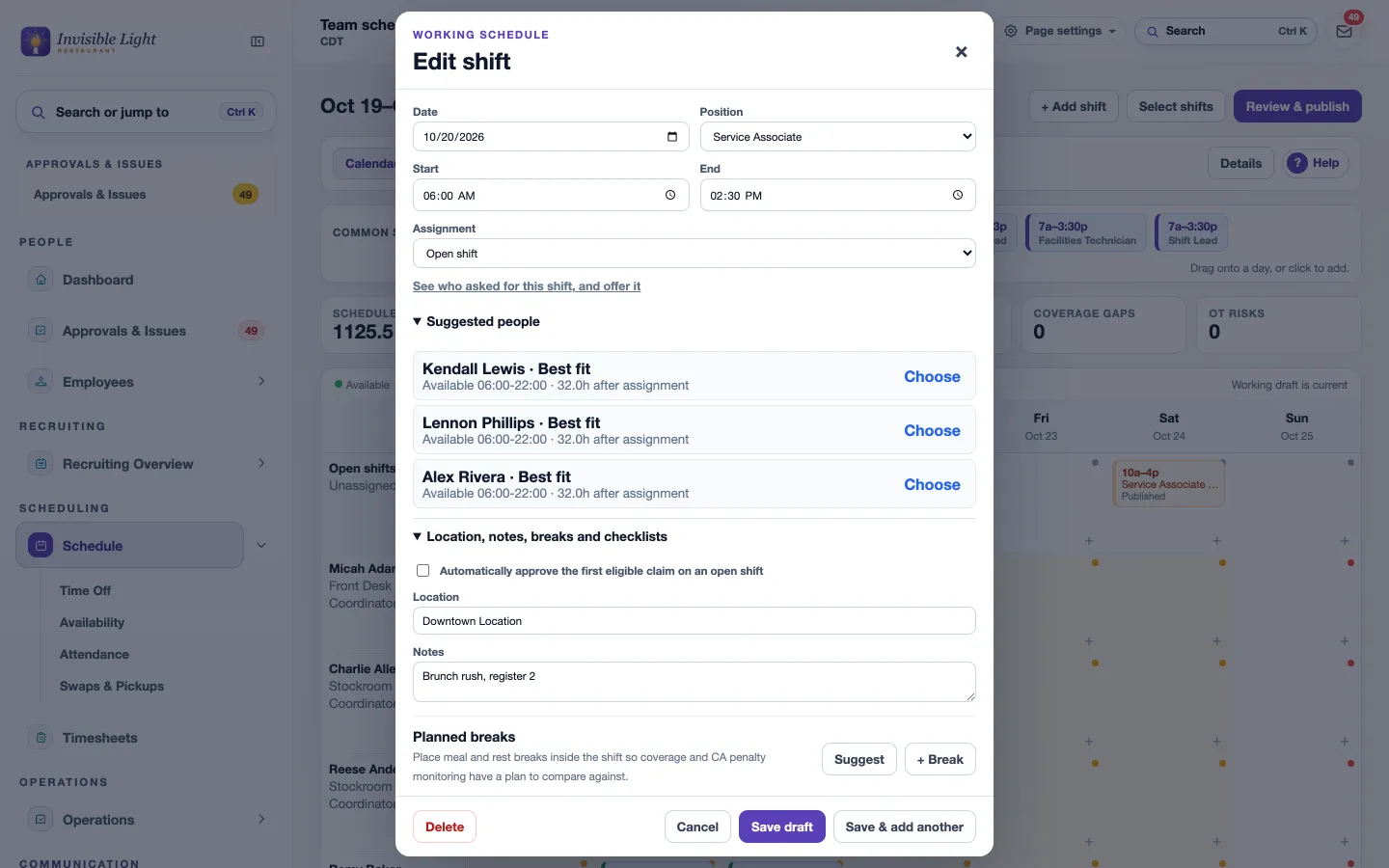
Open a shift and see who fits best, with their availability and their hours after the shift. Choose one, or leave it open.
Copy a week, fill every open shift at once, or let Forecast builder draft shifts from a sales forecast or a headcount plan. Nothing is published until you say so.
Scheduled hours, planned labor cost, open shifts, coverage gaps and overtime risks update with every change.
Say how many people you need each day and time, for one job or everyone. Short windows show as coverage gaps.
Overtime, rest between shifts, minors' hours, consecutive days and clopenings, set to warn or block. Start from a state or city preset.
Suggest meal and rest breaks from your rules, and remind clocked-in employees a few minutes before each one.
See who is affected, the hours change and the cost before you publish the week, one day or one department. Only those people are told.
Employees send their availability and preferences from the app; you approve them. Approved time off and unavailable hours stay out of the way.
Flags short-notice changes and estimates predictability pay in the cities and states with those laws.
A one-page chart of who works when, with breaks and open shifts, or a page for each person's week. Save it as a PDF.
Schedule Performance compares the published week with actual hours and cost, call-outs, break exceptions, sales or workload and shift feedback, then suggests changes for next week.
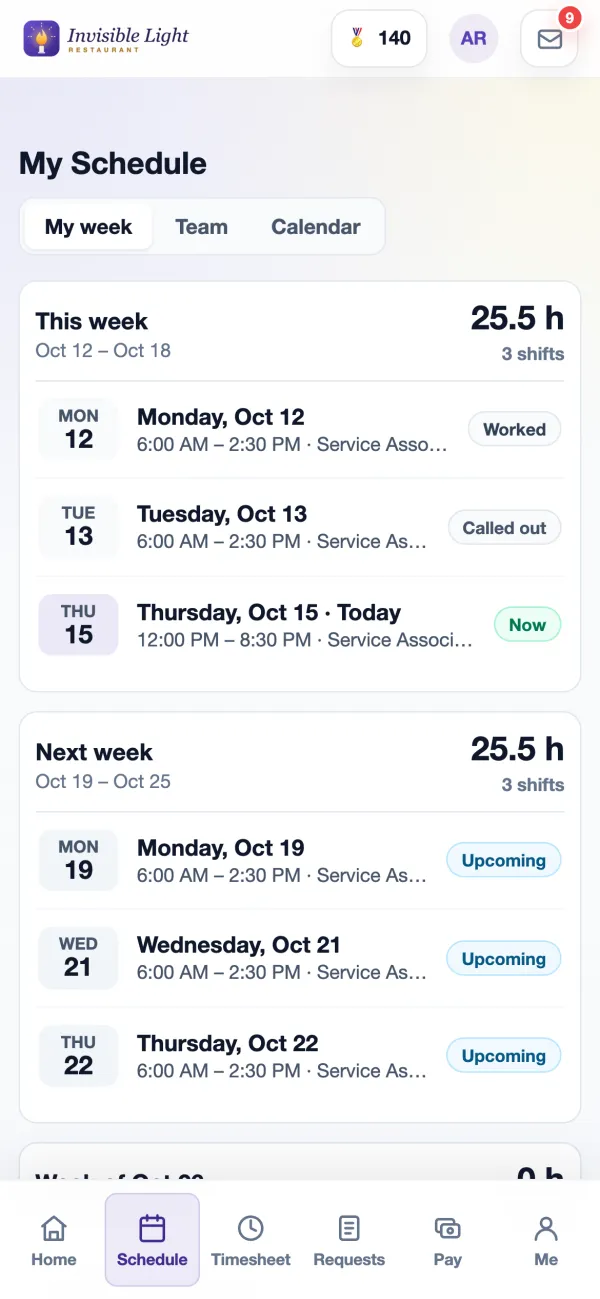
Employees see My week, who else is working, a four-week calendar, and can add a shift to their phone's calendar.
Employees call out from the shift with a note, or text CALLOUT and a reason. The manager hears right away and the call-out is logged in Attendance.
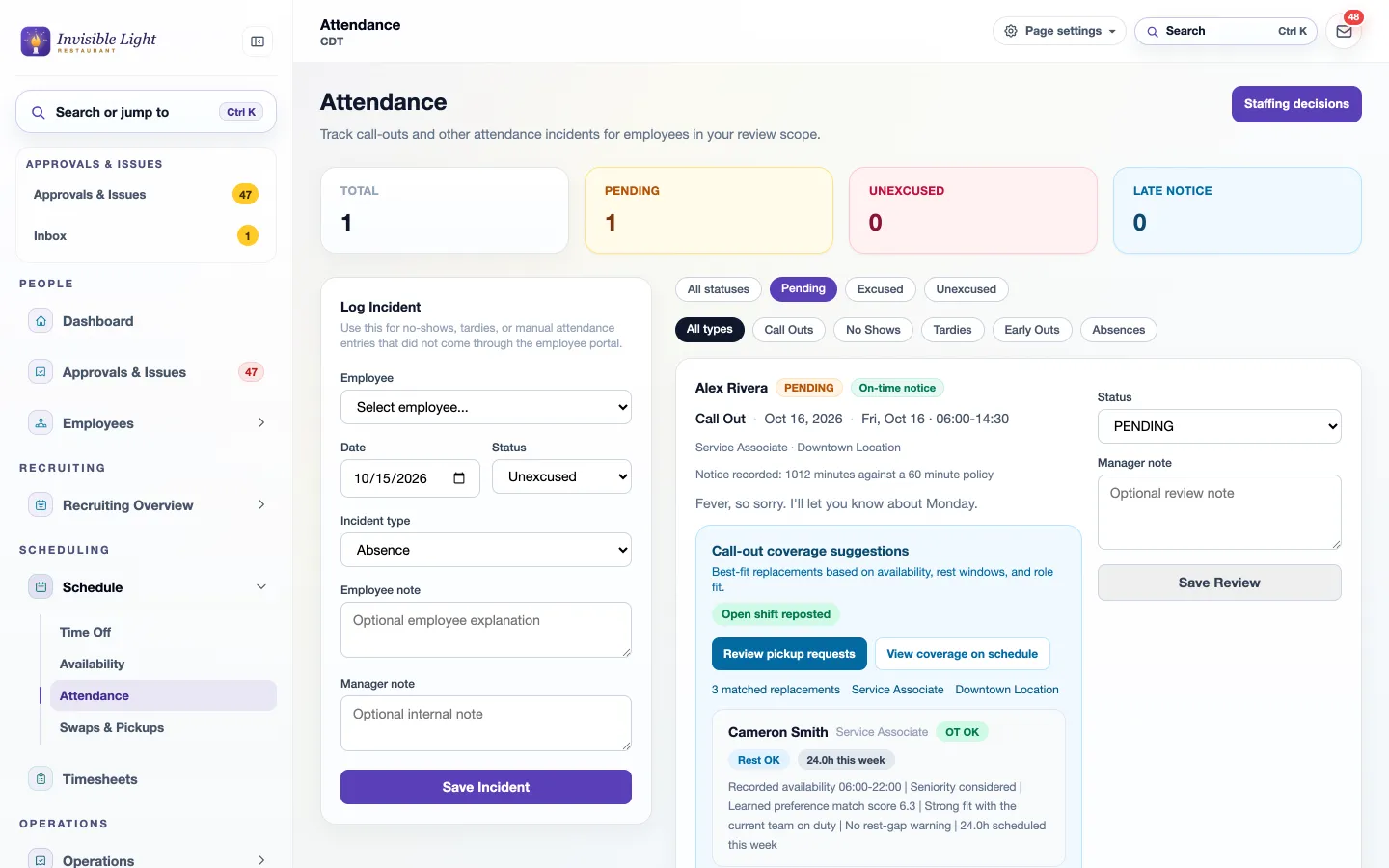
A called-out shift can reopen the moment someone calls out. Each call-out shows who fits best by availability, rest, overtime risk and the job.
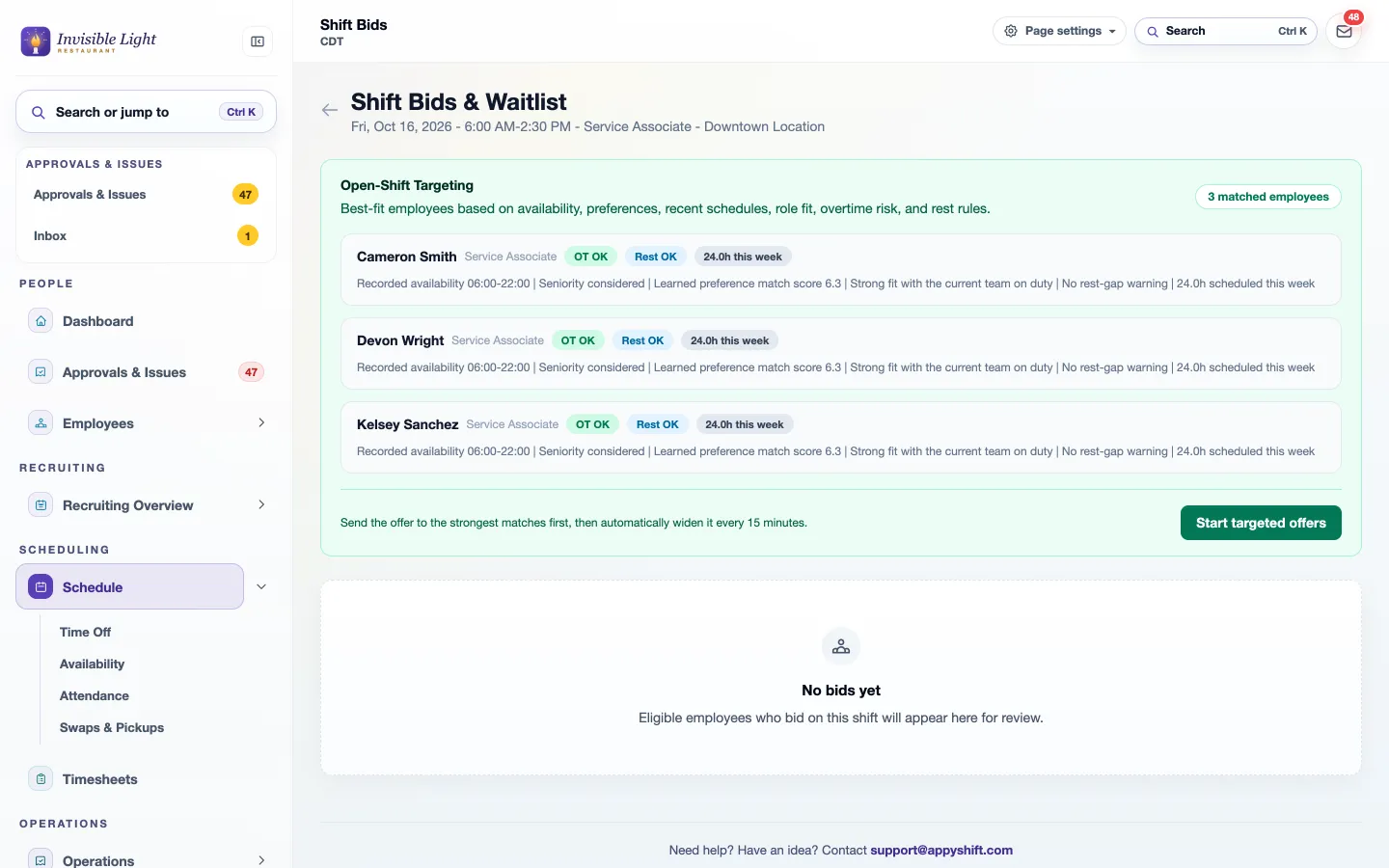
Send the shift to the strongest matches first, widening every 15 minutes. Assign a bid, waitlist a backup or decline, and everyone hears back.
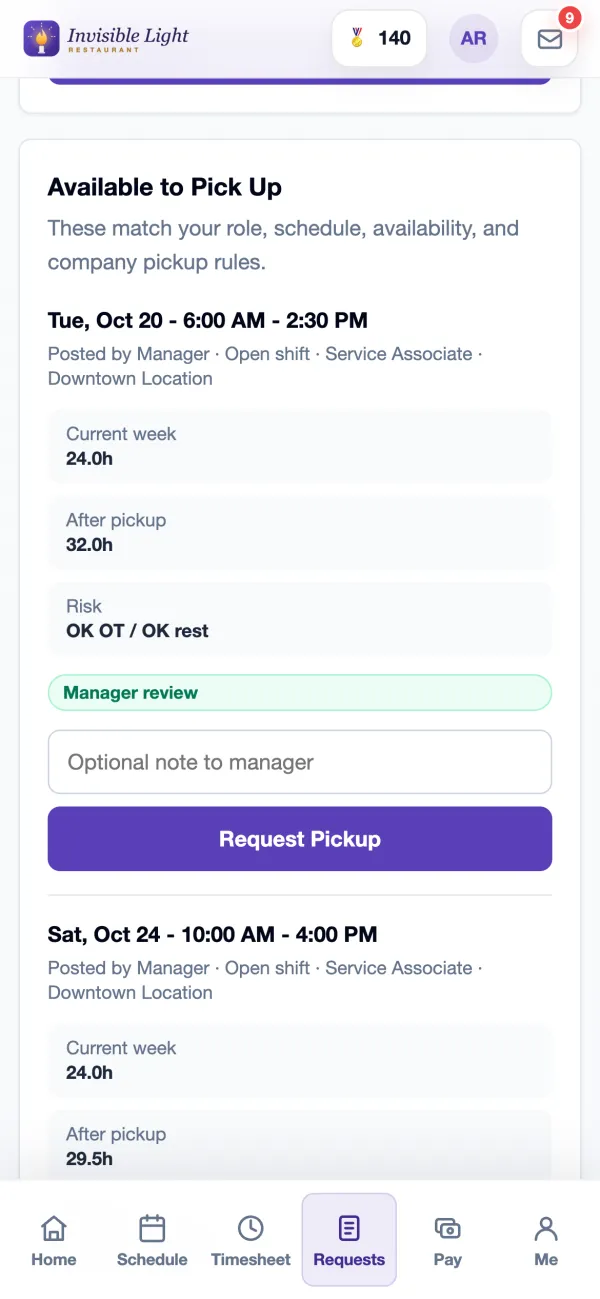
Same position, location or department only, block overtime pickups, minimum notice, and auto-approve while someone stays under your overtime threshold.
Picking up a called-out shift can earn AppyRecognize points and the Shift Saver badge.
See it in the app
Every screen here is a real AppyShift page from our demo company, Invisible Light Restaurant. Open the demo to try it yourself.
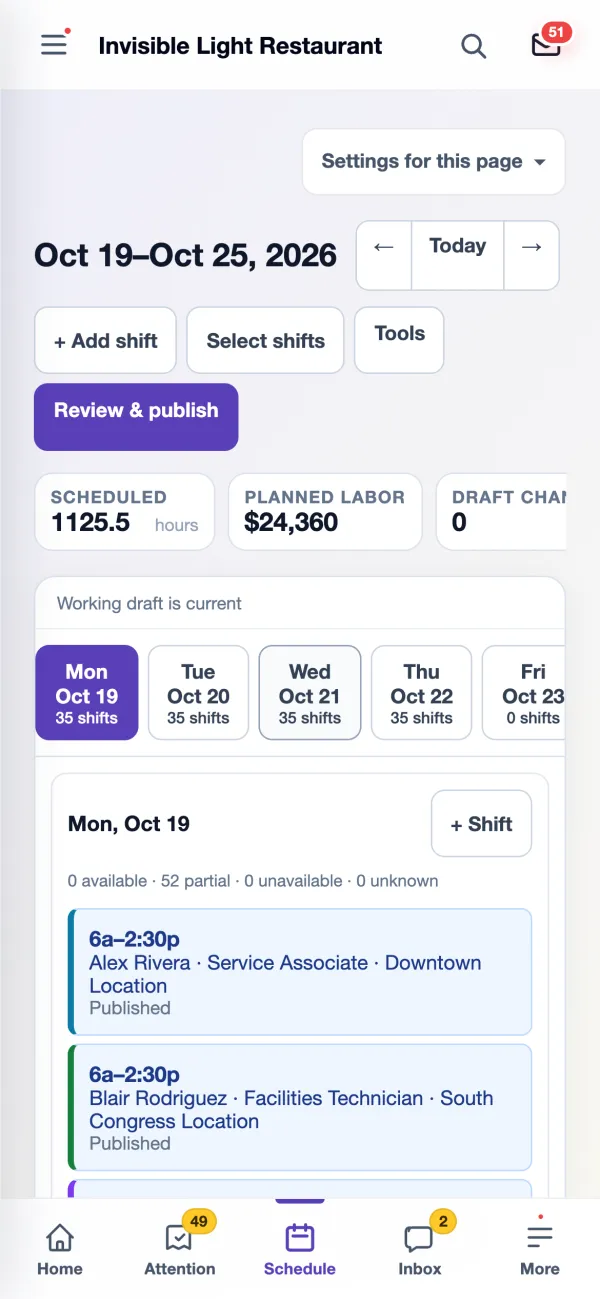
Every person, every day, colored by job. Drafts are marked until you publish. The numbers above the grid tell you the cost and the problems before anyone else sees the week, and the same schedule works on a phone.
The shift editor lists the best people for the job, with their availability and their hours after the shift. Add planned breaks, notes and checklists, or leave it as an open shift that coworkers can ask for.
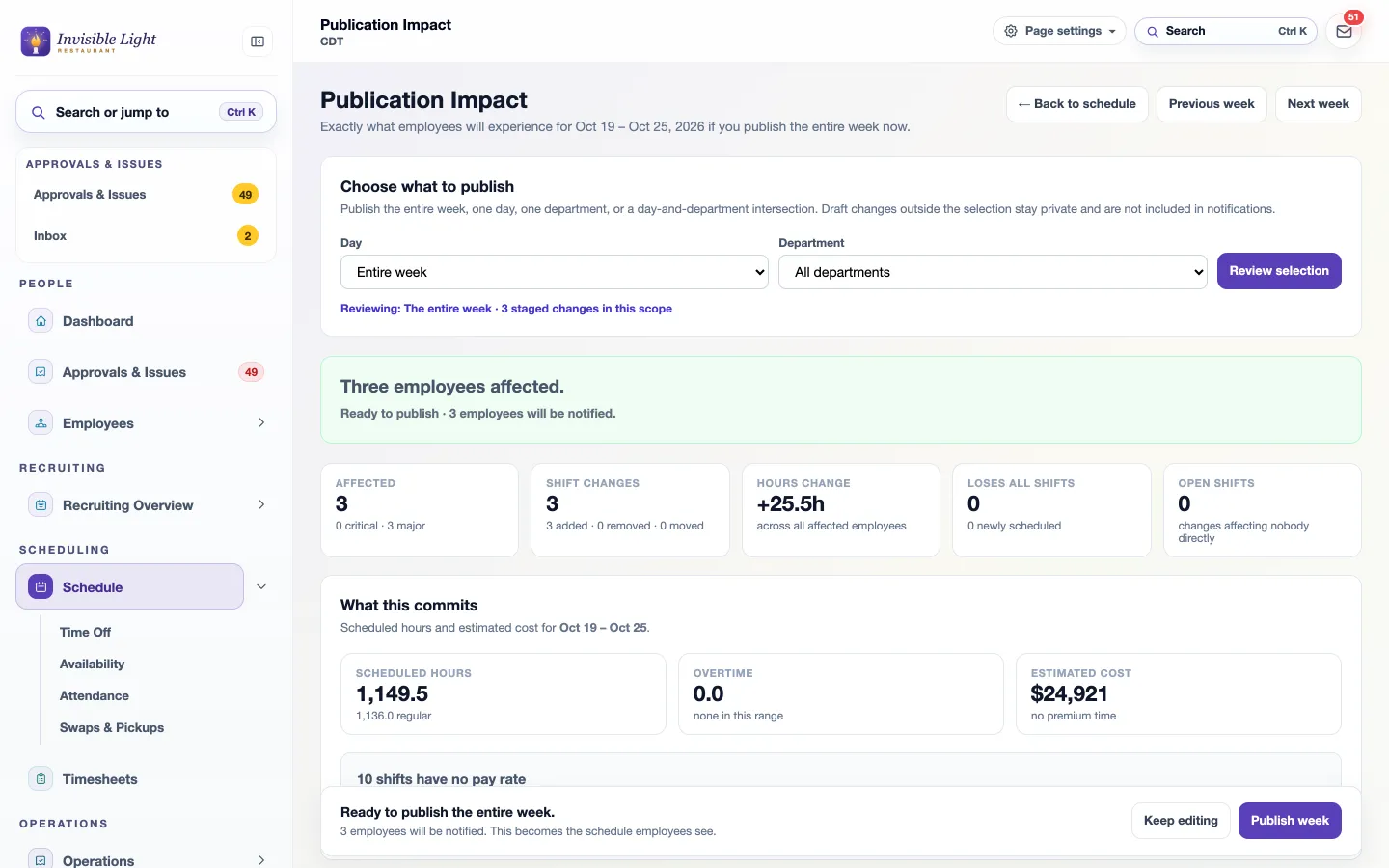
Review & publish shows exactly what employees will see: how many people are affected, shifts added, removed or moved, the hours change, and the week's scheduled hours, overtime and estimated cost.
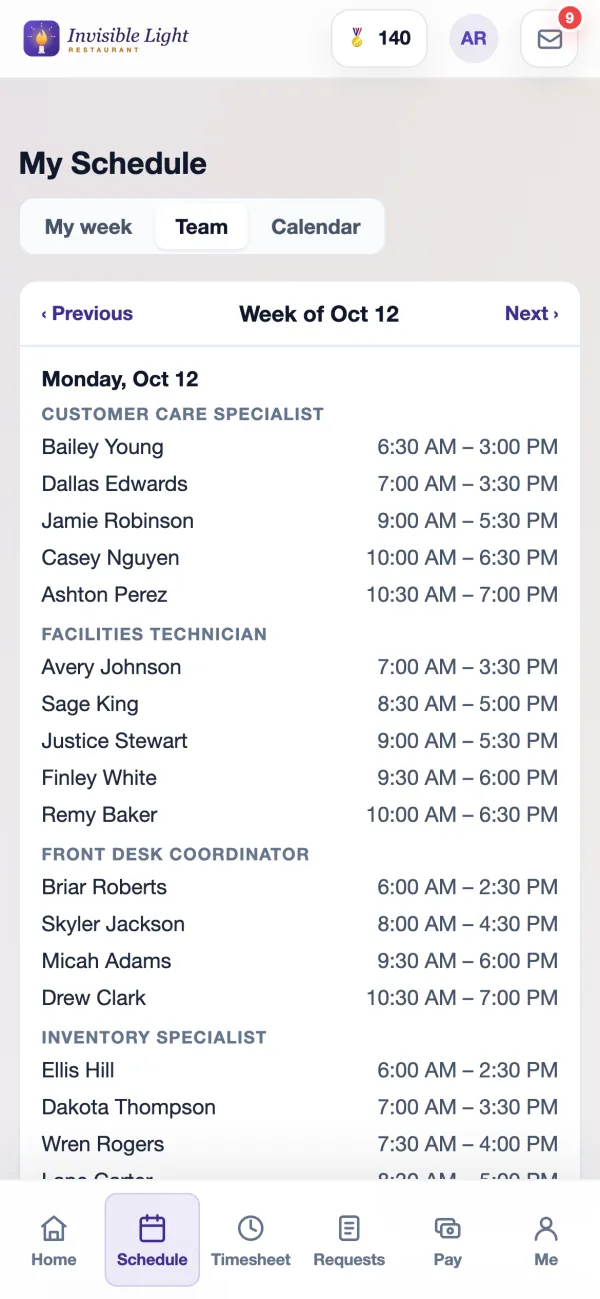
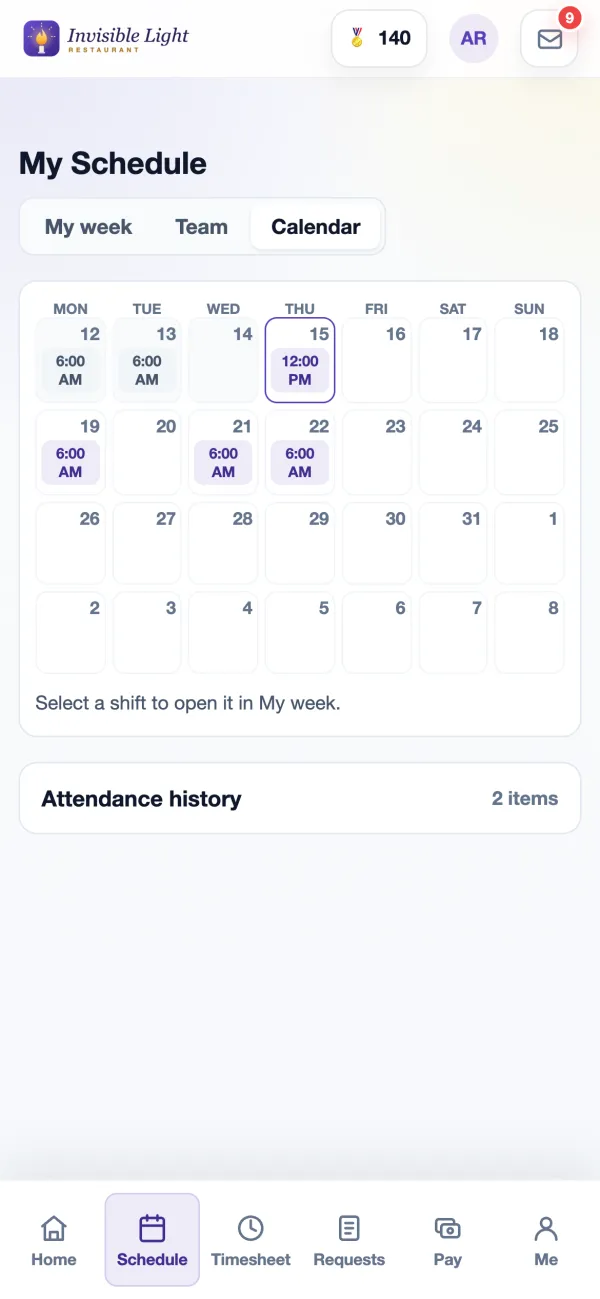
My week shows this week and the next three, with total hours first. Team shows who else is working each day. Calendar shows four weeks at once. Select any shift to confirm it, trade it, give it away, add it to a calendar or call out.
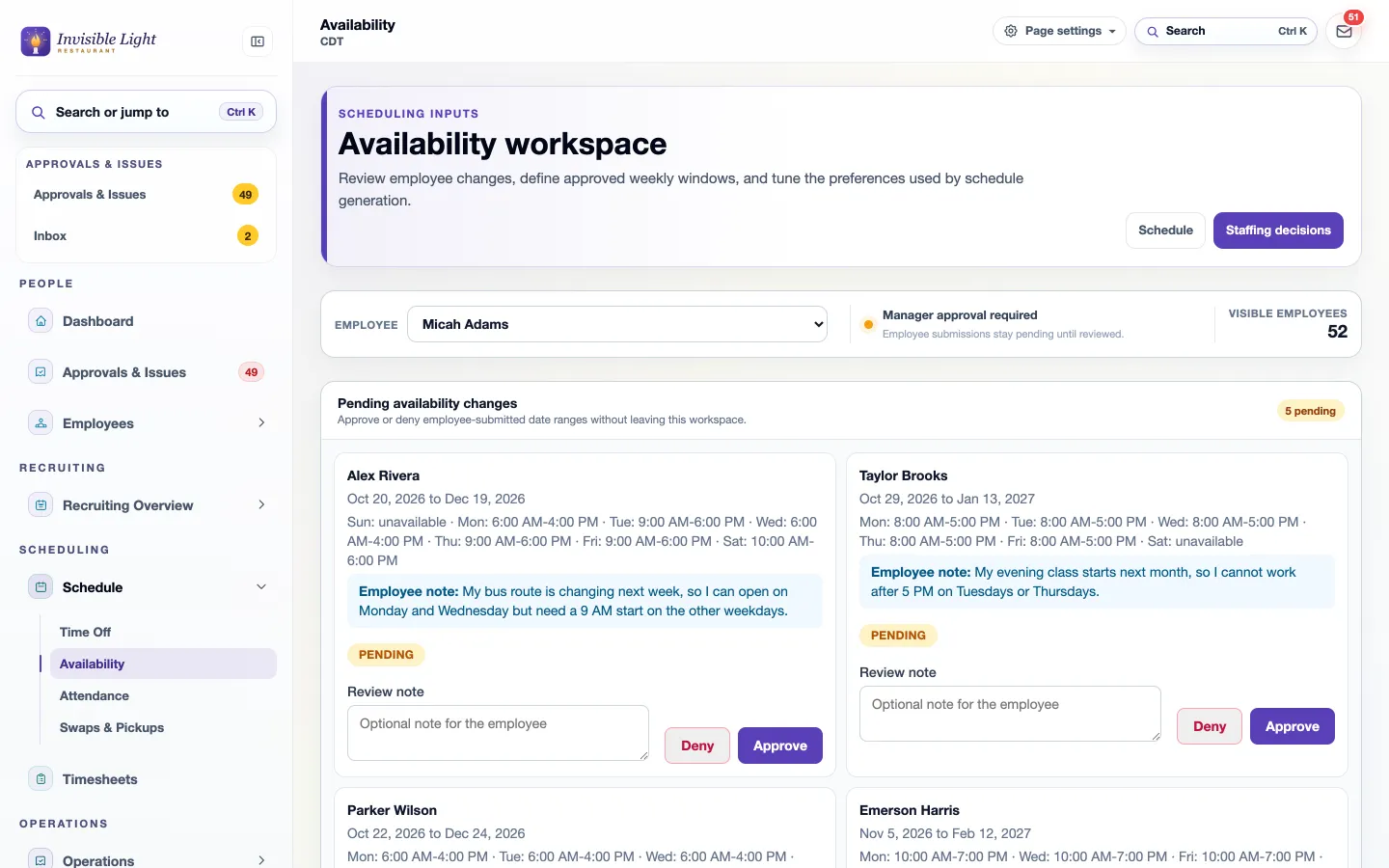
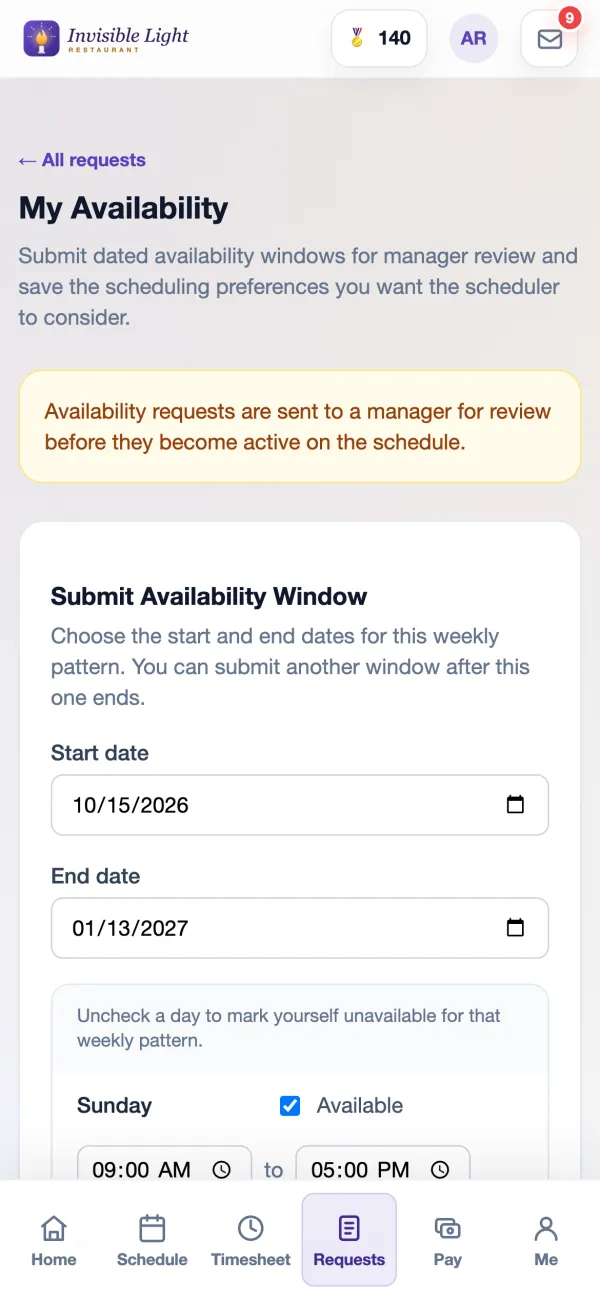
Employees send dated weekly availability and their preferences from the app. You approve or deny each change with a note, or let changes apply right away. Suggestions and Forecast builder use the approved hours.
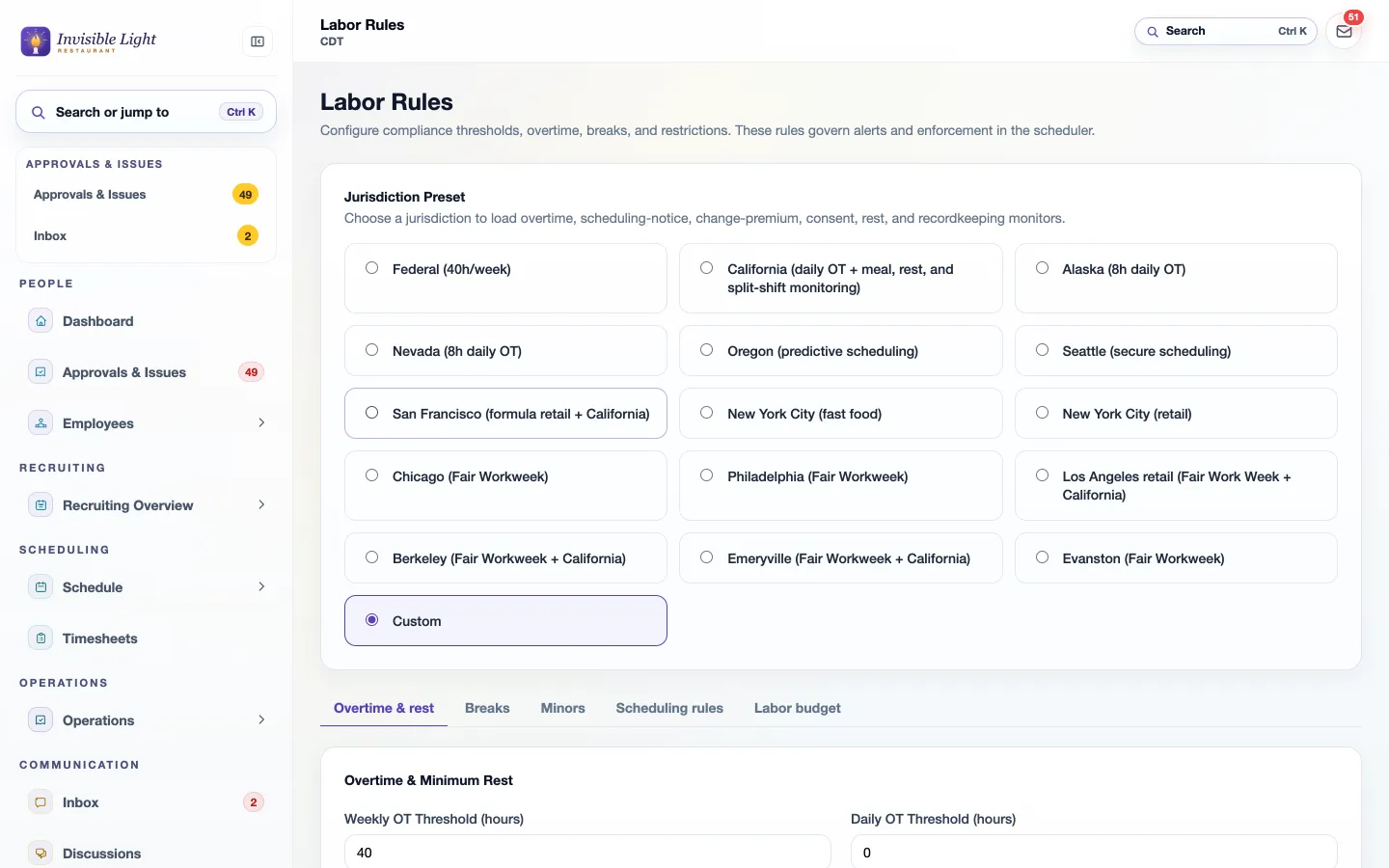
Choose a preset such as Federal, California, Oregon, Seattle, Chicago or New York City, or set your own numbers. Each shift is checked as you add or change it, and Fill open shifts skips anyone who would break a rule you set to block.
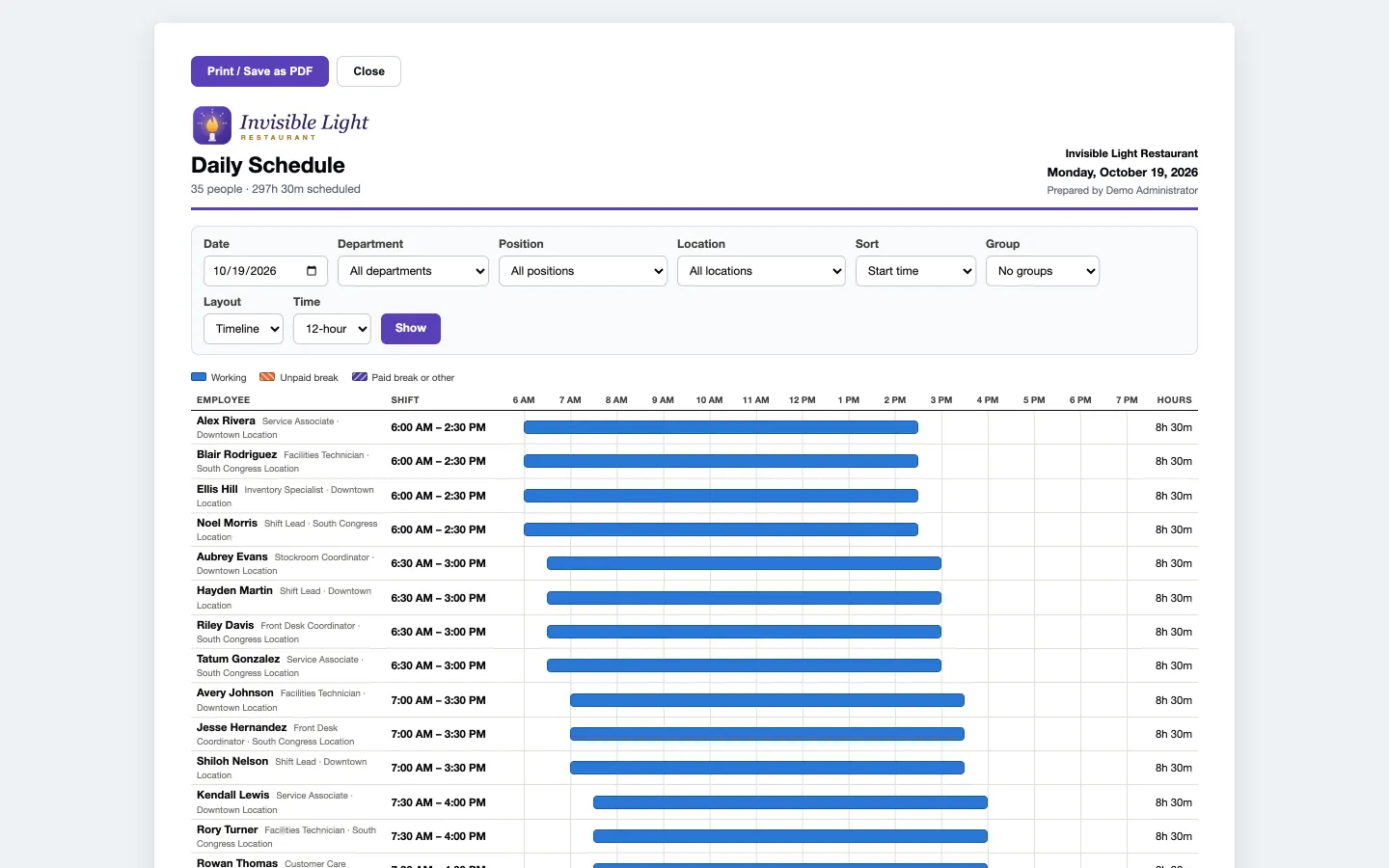
The daily schedule prints on one landscape page: a chart of who works when, planned breaks, open shifts and the day's totals. Or print each person's week on their own page.
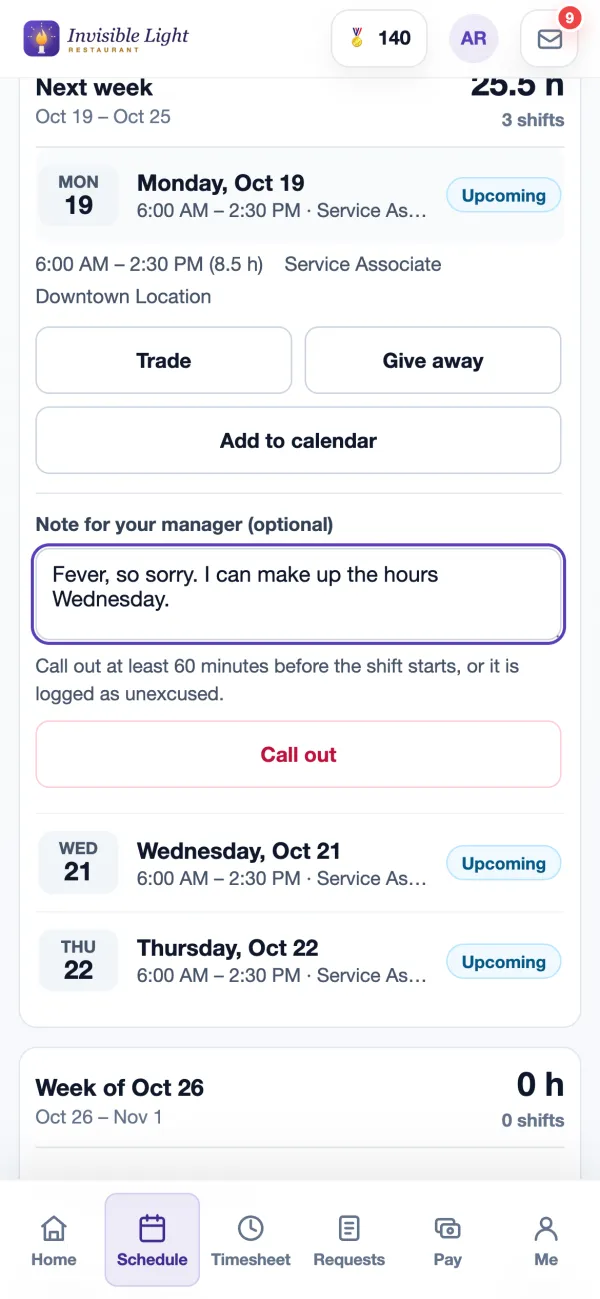
Alex opens Monday's shift, adds a note and selects Call out. The app checks once before it sends, then tells the manager and offers the shift to coworkers who can work it.
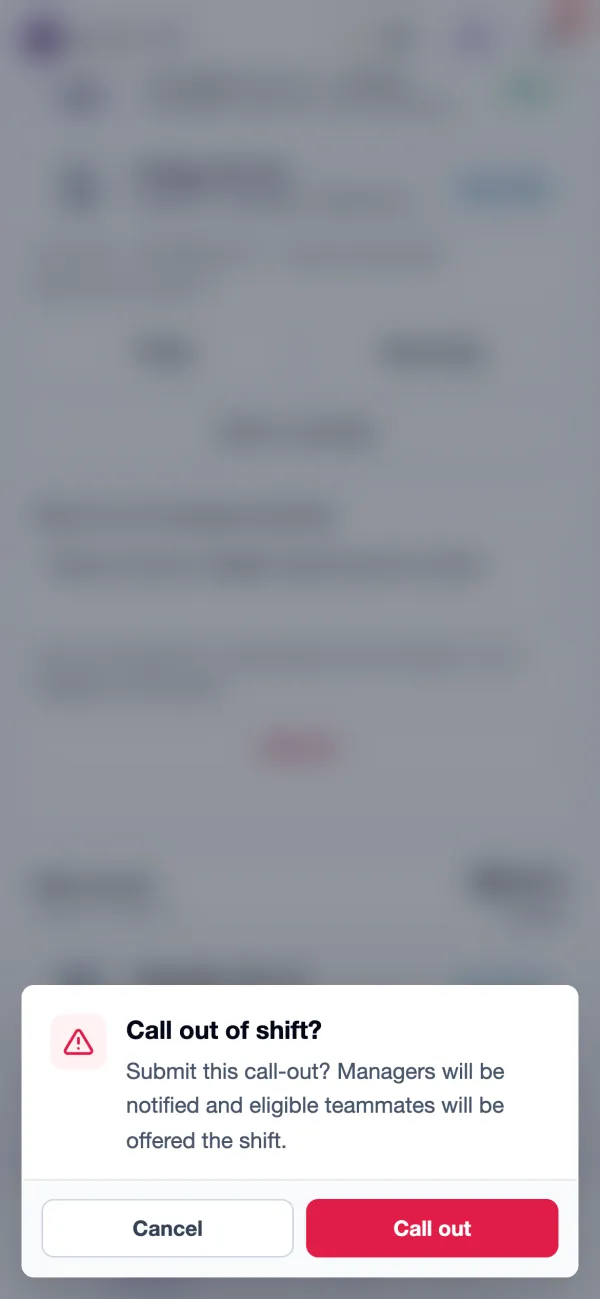
Employees who get AppyShift text alerts can text CALLOUT and a reason for a shift in the next 36 hours, or LATE for one in the next 6 hours. Coworkers can reply CLAIM to an open-shift text, and a manager can reply APPROVE.
The call-out shows the notice given against your policy, the employee's note and whether the shift is already reposted. Below it are the best replacements, with their hours this week and any overtime or rest warning.
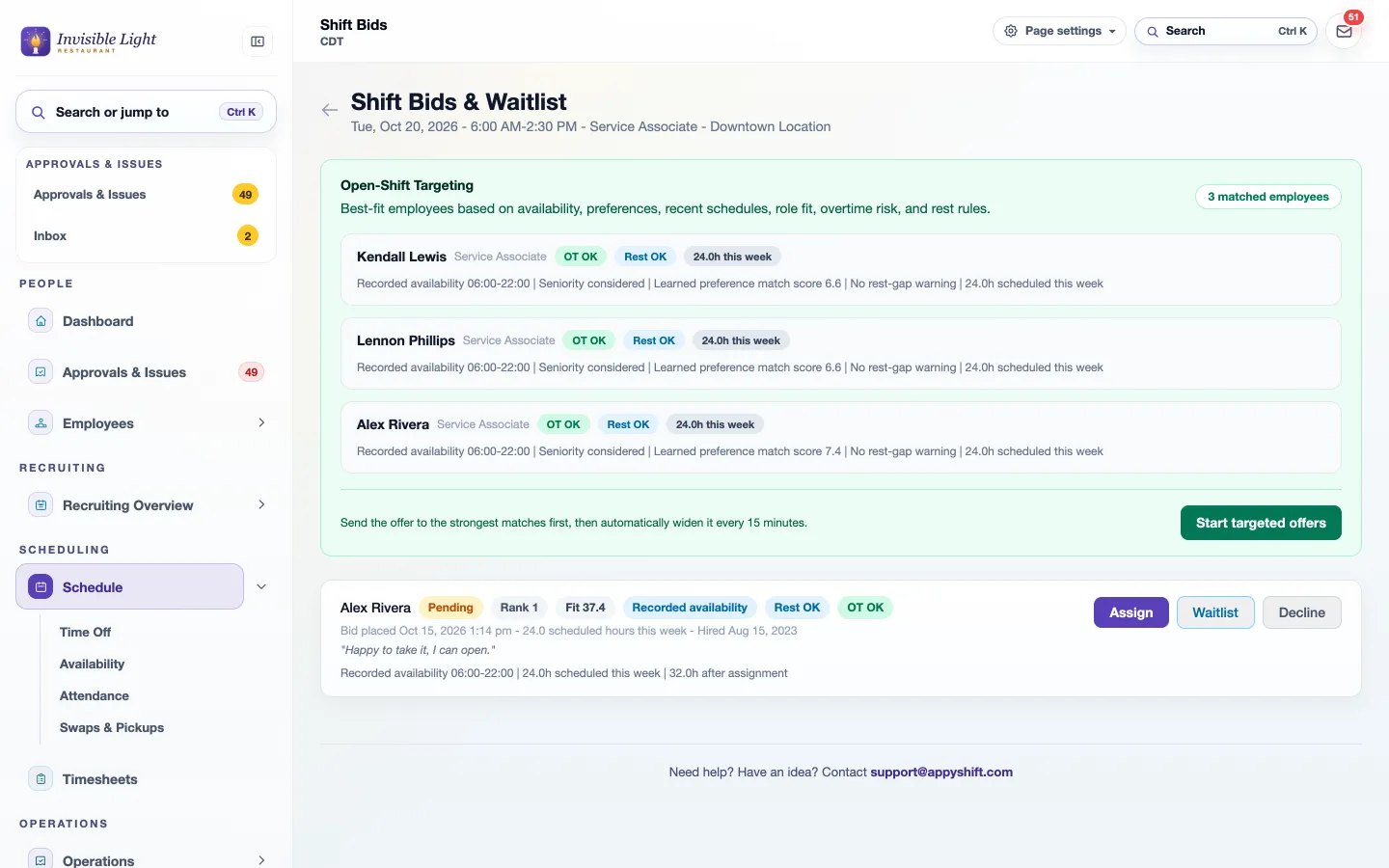
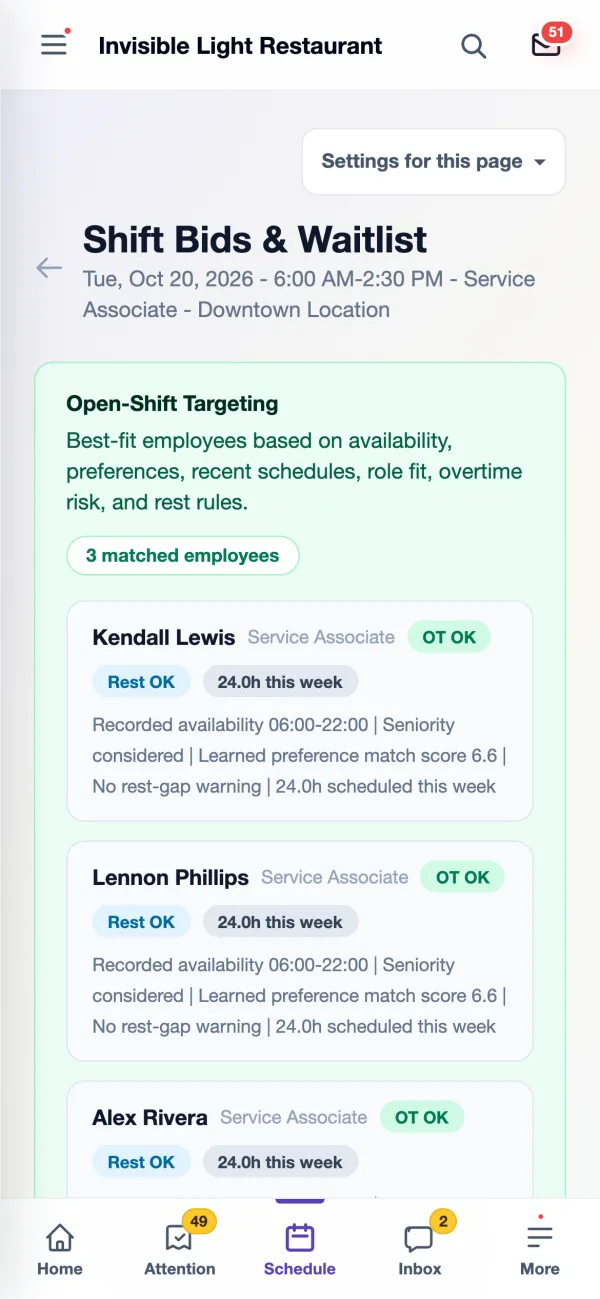
Open-Shift Targeting ranks the people who fit using availability, preferences, recent schedules, the job, overtime risk and rest rules. Start targeted offers and the strongest matches hear first; every 15 minutes the offer widens until someone takes it.
Available to Pick Up lists only shifts that fit the employee's job, schedule and availability. Each one shows their hours this week, their hours after the pickup, any overtime or rest risk, and whether a manager approves it or it's added right away.
Everyone who asked for the shift is listed with their rank, fit score, availability, rest and overtime check, and the note they left. Assign it, waitlist someone as a backup, or decline. Both sides are told right away.
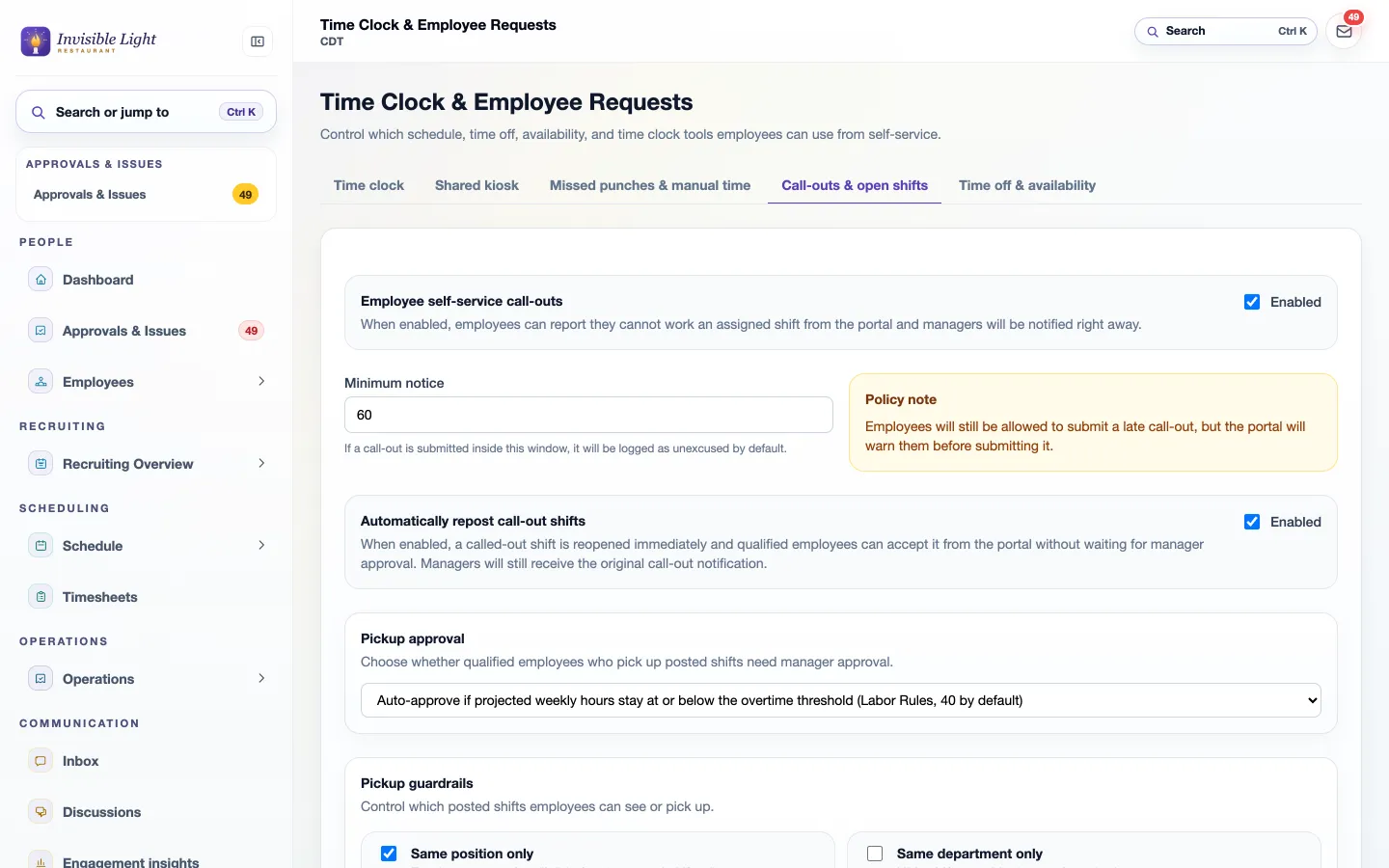
Set the minimum notice in minutes, turn automatic repost on or off, and choose when pickups need you: always, or only when they would push someone past your overtime threshold.
Every feature, by plan
Included in every plan. Some features are for certain industries and are turned on in setup.
Enter your work email to begin your free-trial signup.
No. New and changed shifts are drafts until you publish. Then only the people whose shifts changed are told, in the app, by email, and by text if they turned texts on. Restore last published throws away drafts you don't want.
It can draft it. Forecast builder proposes shifts from a demand forecast or the days, times and headcount you need, using availability, time off, the jobs each person can work and hours already scheduled. You review the preview, change what you like and create only the shifts you want.
The week shows overtime risks as you build, and each shift lists the person's hours after it. With Labor Rules (Pro plan), overtime, rest between shifts, minors' hours, consecutive days and clopenings are checked on every shift and set to warn or block.
Yes. Pick a day, add a shift with its date filled in, select several shifts to assign, make open or delete, and review and publish, all from a phone.
Their manager gets an alert, the call-out is logged in Attendance with how much notice was given, and, if automatic repost is on, the shift reopens for coworkers who can work it. With repost off, the person stays on the schedule until a manager reposts the shift or gives it to someone else.
Coworkers who can work that job, aren't already working then, and pass your pickup rules, such as the same position, location or department and your overtime limit. Targeted offers go to the best matches first and widen every 15 minutes. The person who called out isn't offered their own shift.
Only if you allow it. Pickups can be approved automatically while the person stays at or under your overtime threshold, or you can tick "approve the first eligible claim" on one open shift. Otherwise every pickup waits for a manager.
Employees who turned on AppyShift text alerts can text CALLOUT and a reason for a shift in the next 36 hours, or LATE for one in the next 6 hours, and reply CLAIM to an open-shift text. Trades and give-aways happen in the app, where you approve each change with the hours and any overtime or rest warning in front of you.
AppySchedule is in every plan, with all of its features. Also on this page: points, badges and rewards, on the Pro plan.
Time and attendance that tracks every hour and gives managers what they need to manage hourly labor.
See AppyTime →Team communication that keeps managers and employees connected, with two-way texting that reaches hourly workers without another workplace app.
See AppyConnect →Use the weekly form to record an effective date range, available hours, and shift preferences, then share or export a copy for your manager.
Open the resource →Enter each shift and unpaid break to calculate regular hours, overtime hours, decimal totals, and an optional gross-pay estimate. Everything stays in your browser.
Open the resource →The AppyShift modules
14 days free with every Pro feature. No credit card. Or open the demo first and click around.
Start free trial